Judging Through the Organizer's Eyes
ВидеоинструкцияJudging Through the Organizer's Eyes
How do you assign judges to a multi-day tournament and monitor their work through the platform? Judges have their own separate set of training materials with a detailed breakdown of judging features — this article covers the functions for how judges interact with the organizer.
Step 1. Open the List of Judges
Like athletes, judges submit applications to take part in a tournament. The list of judges who have applied is available after logging in with an organizer account, in the personal dashboard, under "Competitions."
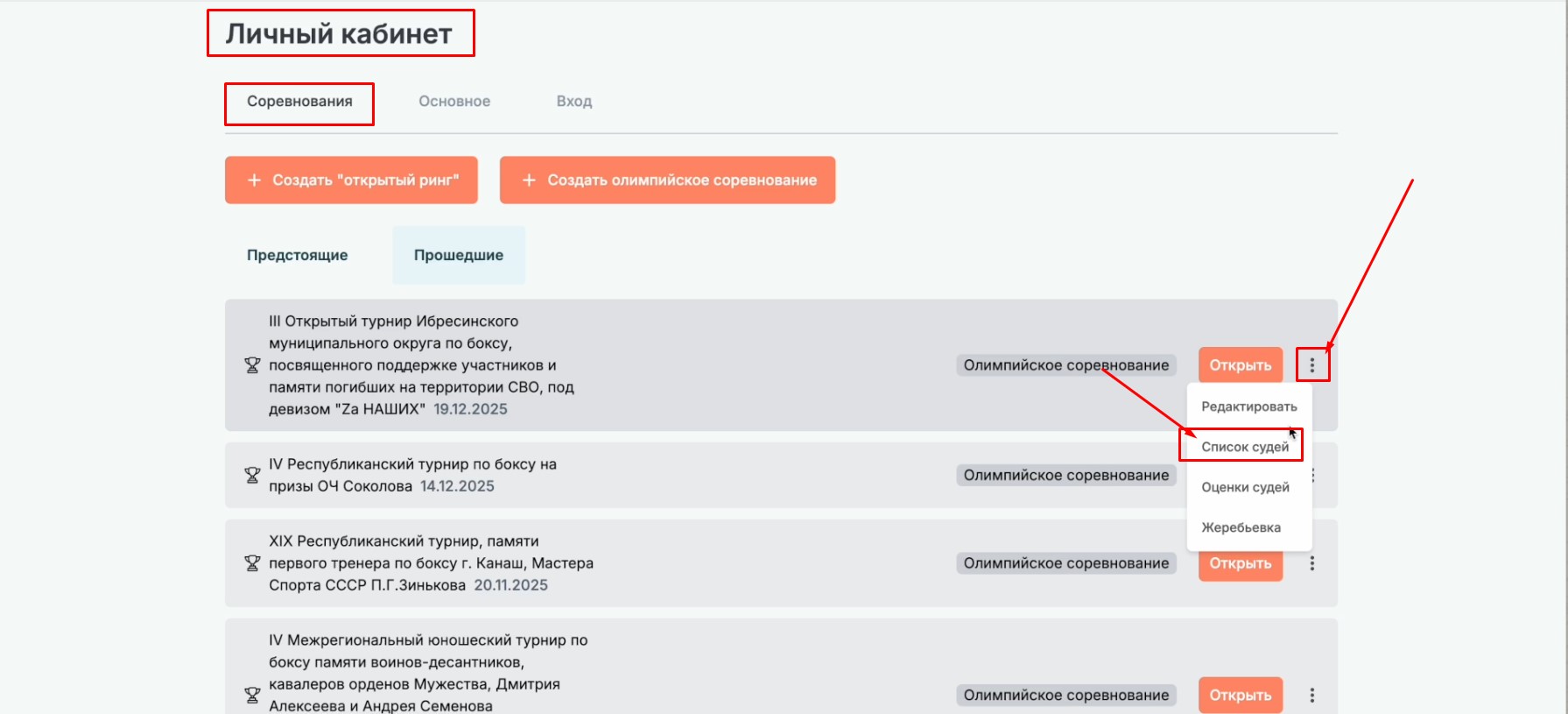
Click the ellipsis next to the relevant tournament and select "List of Judges" from the menu — this opens the "Judge Applications" section.
Step 2. Assign Judges
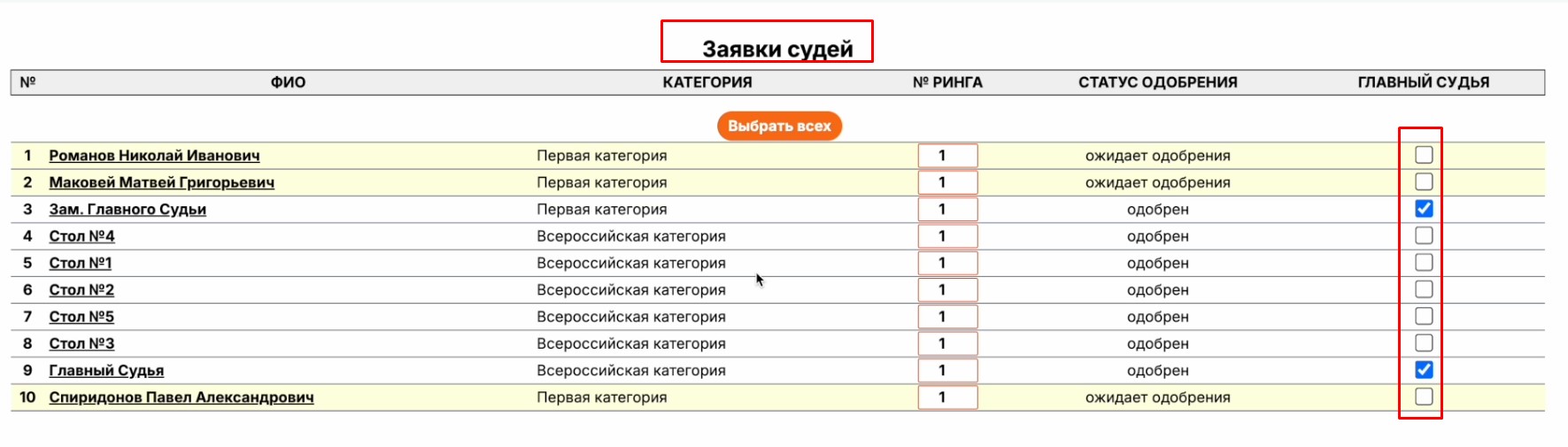
The list shows all the judges who have applied for your tournament. Pay attention to the rightmost column, "Head Judge" — to appoint a head judge, check the box next to their data. If the box is left unchecked, the judge will be assigned as a side judge.
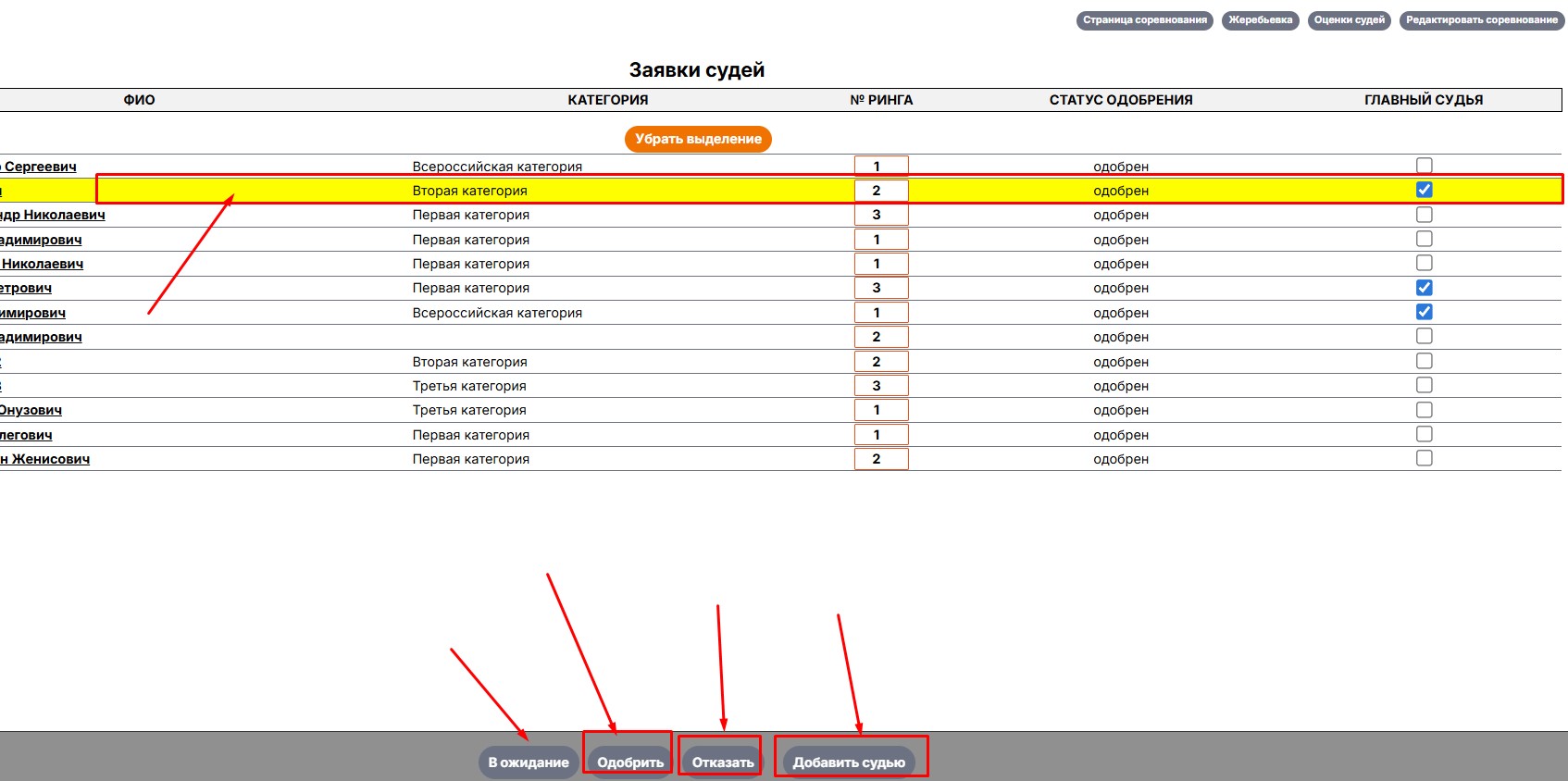
To perform an action, select one or more judges by clicking on an empty area of their row (not on an active link). Buttons will appear at the bottom of the screen:
- "Pending" — the judge's application is under review
- "Approve" — the judge is cleared to participate
- "Reject" — the judge will not take part in the competition
- "Add Judge" — choose from the platform's list or enter the data manually
Step 3. Monitor Judging
Once judges have been assigned, the head judge can start a bout — at which point the side judges will see the judging console and be able to enter their scores.
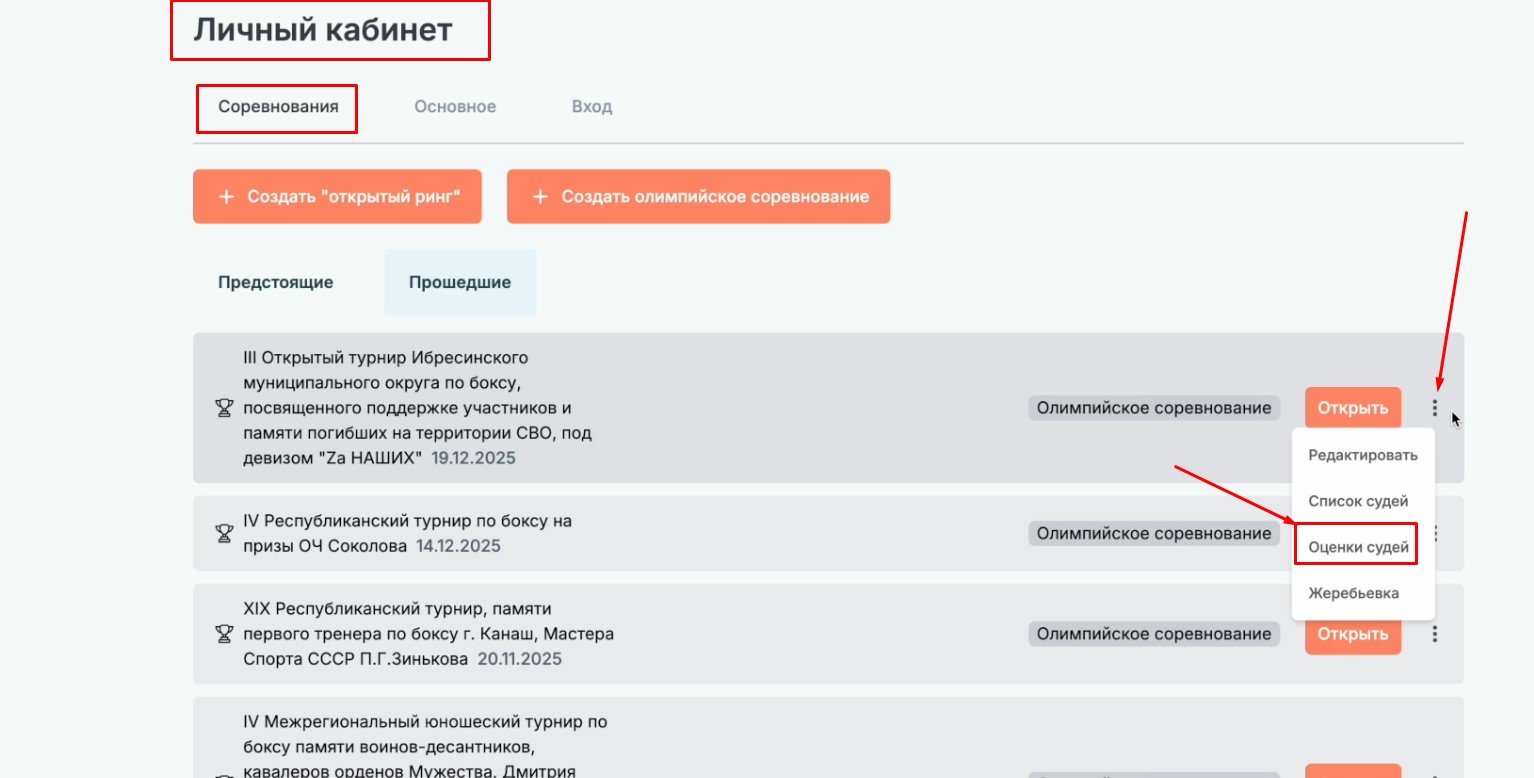
The organizer can also monitor the judging process — the "Judges' Scores" tab shows how each judge scored the bout and what marks they gave.
Important: if the head judge mistakenly declares the wrong athlete the winner, the organizer can change the bout's result, cancel its status, and delete the judges' scores.