How an organizer can pass an athlete's login details to them
ВидеоинструкцияHow an organizer can pass an athlete's account details to them
If an organizer manually added an athlete to a tournament, filling in all their details, an account is automatically created for them — here's how to give the athlete access to it.
Step 1. Find the access request
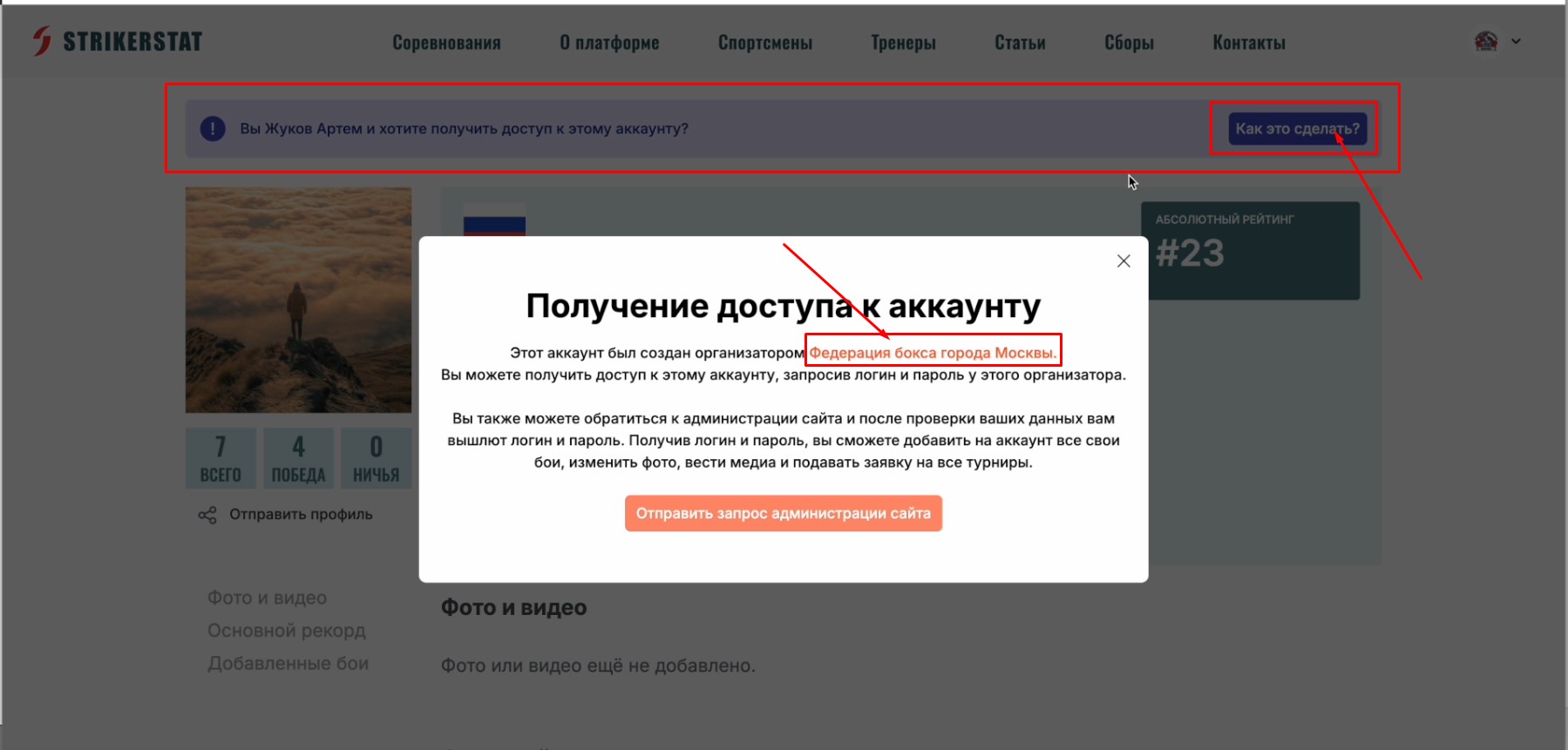
Such an account is marked in the header by a separate purple line with an access request and a "How do I do this?" hint button. Clicking it opens a window describing the process for gaining access, with an active link to the personal page of the organizer who created the account.
Step 2. Copy the login details
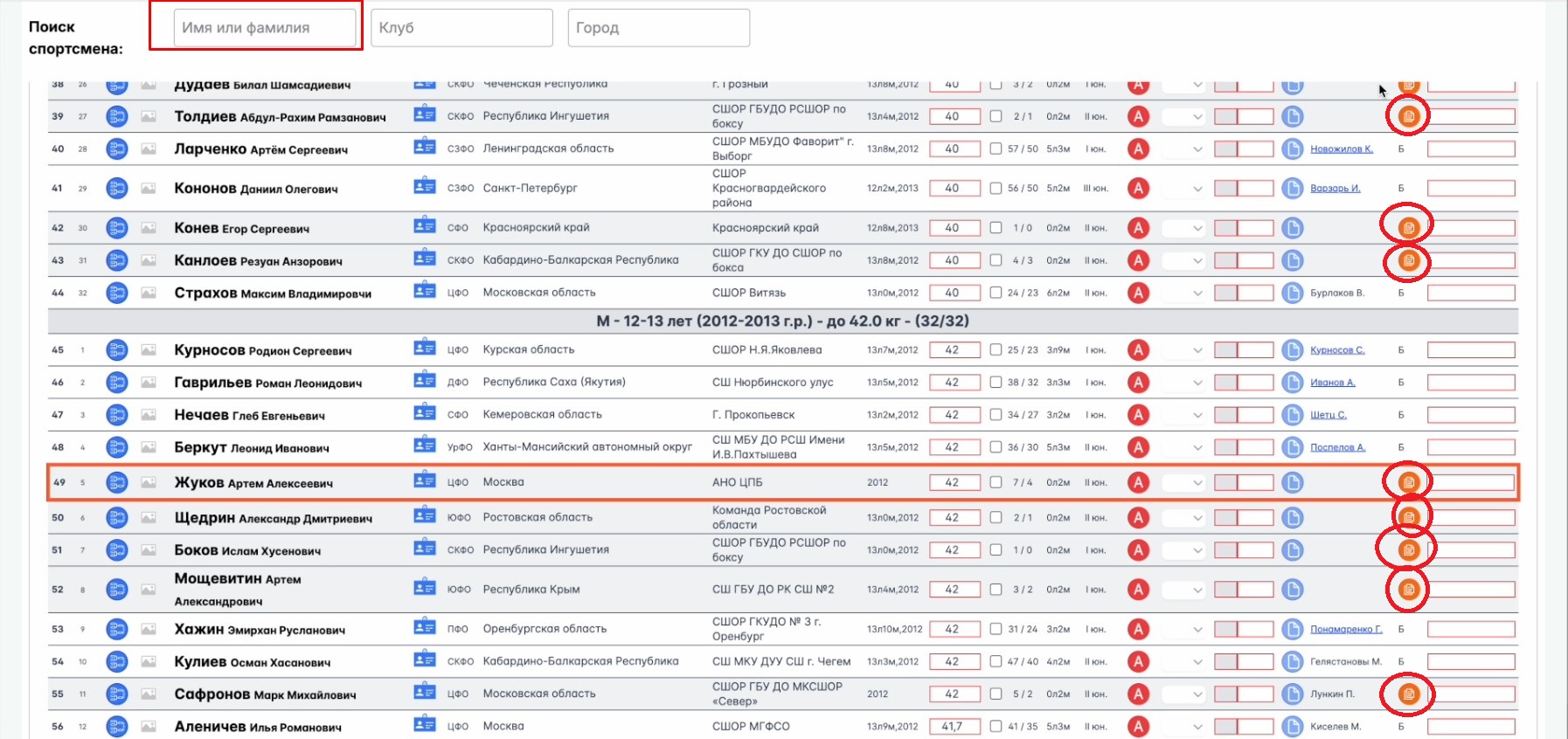
Find the competition the athlete took part in (from the list on their page), go to that tournament's page, and find the athlete using search.
Accounts created by the tournament organizer are marked with a special orange button on the right of the row — clicking it copies the athlete's login and password to the clipboard (like Ctrl+C). Forward these to the athlete however is convenient — they'll be able to paste them with Ctrl+V after confirming their rights to the account.