Reordering bouts at multi-day competitions
ВидеоинструкцияReordering bouts in an Olympic-format tournament
Sign in with an organizer account, go to the relevant tournament, open the "Bout lineup" tab, and select the day and ring.
Step 1. Open the bout-moving control
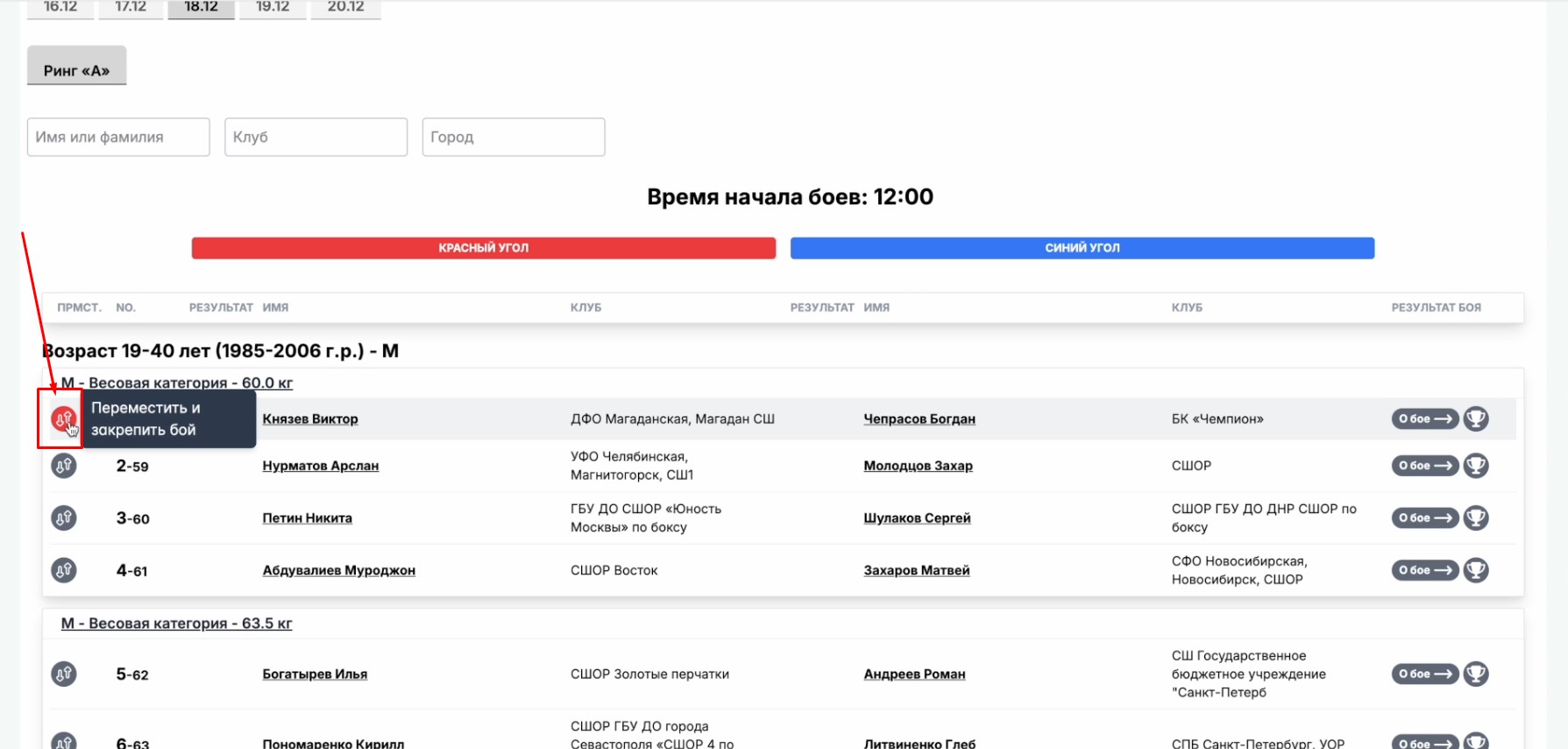
To the left of the bout numbering is a move button with up and down arrows.
Step 2. Choose the new position
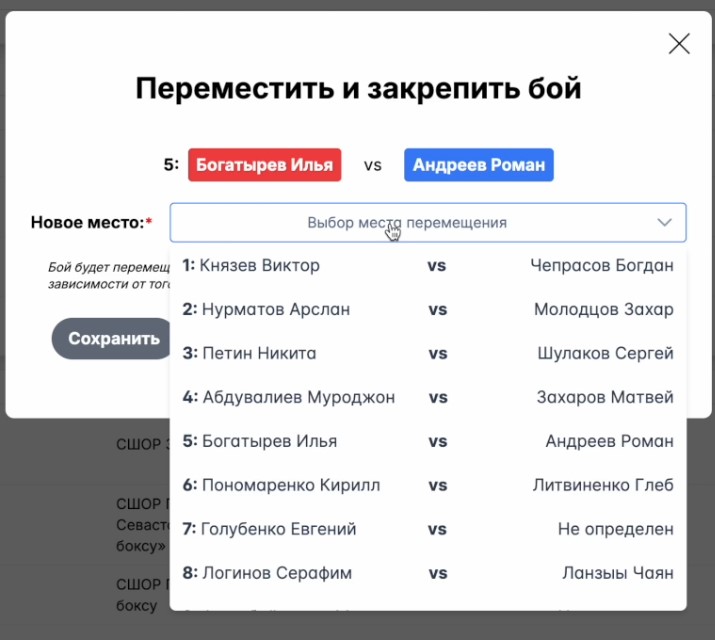
Clicking the move button opens a window where you can choose which position in the list of bouts to move the selected one to.
After confirming, click "Save" - all bouts will shift by one position relative to the moved one, and the header will show the weight category of the relocated bout.
Important: after being moved, a bout is pinned to its specified sequence number and does not shift when other bouts are subsequently reordered.
Step 3. Unpin a bout
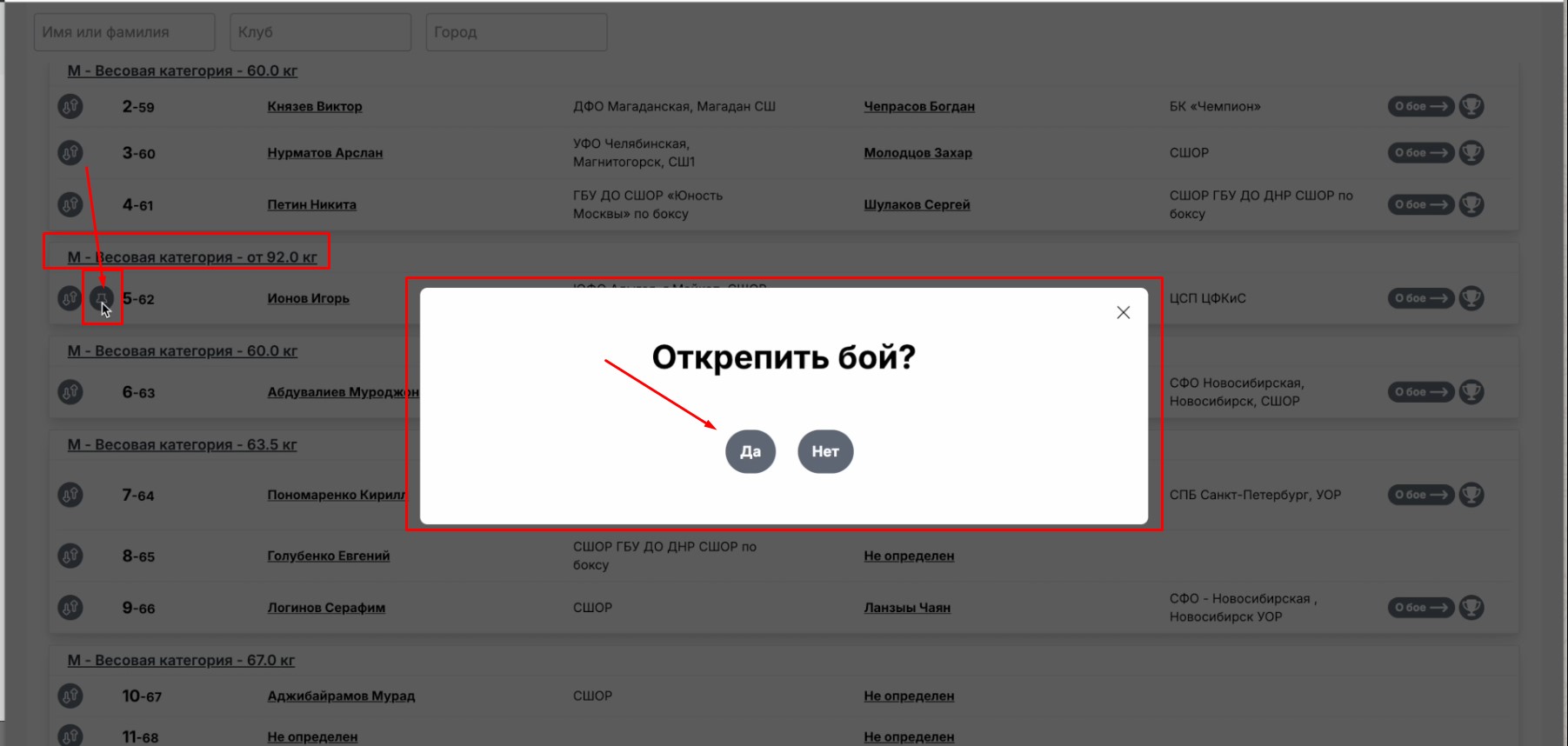
To cancel the pin and return the bout to its normal order, click the "Unpin" button (a paperclip-shaped icon).
Important: reordering is only possible within a single day and a single ring. It does not affect the draw or the bout lineup as a whole, since the changes only apply within that day's schedule.