How to Pay for Competition Entry
ВидеоинструкцияHow an athlete pays for a competition
We walk through how to pay for tournament entry and which payment options are available on the platform.
Step 1. Submit a tournament entry
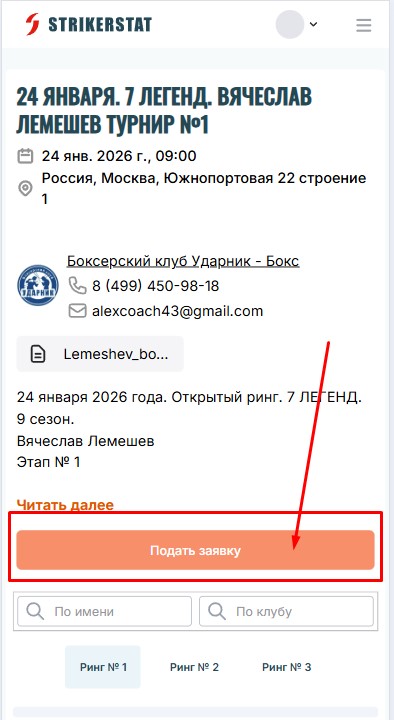
Sign in to the platform with your login and password, go to the page of the tournament you are interested in, and click the "Submit Application" button.
Step 2. Confirm your weight and pay
The system will ask you to confirm your current weight, a "Pay" button will appear on the page, and your application will show up in the "Pending Approval List."
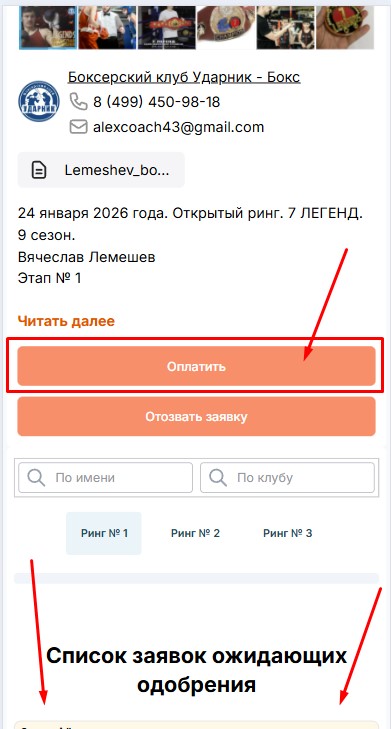
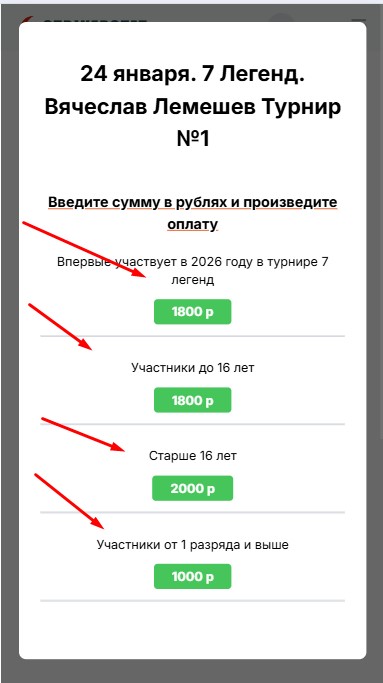
Next, choose a payment method from those approved by the tournament organizer — after selecting one, you will be redirected to an official payment processing service. Entry fees can also be paid on site on the day of the competition.
For some tournaments you cannot submit an entry without paying — the application and the payment are a single action, and instead of "Submit Application" the button reads "Pay and Submit Application."
To get a refund, contact the tournament organizer using the contact details listed on the competition page. To withdraw the application itself, click the "Withdraw Application" button.