Bout schedule for the Olympic draw
ВидеоинструкцияOlympic draw bout schedule
How to set the dates and times of bouts in the bout schedule after the brackets have already been drawn up.
Step 1. Open the bout schedule
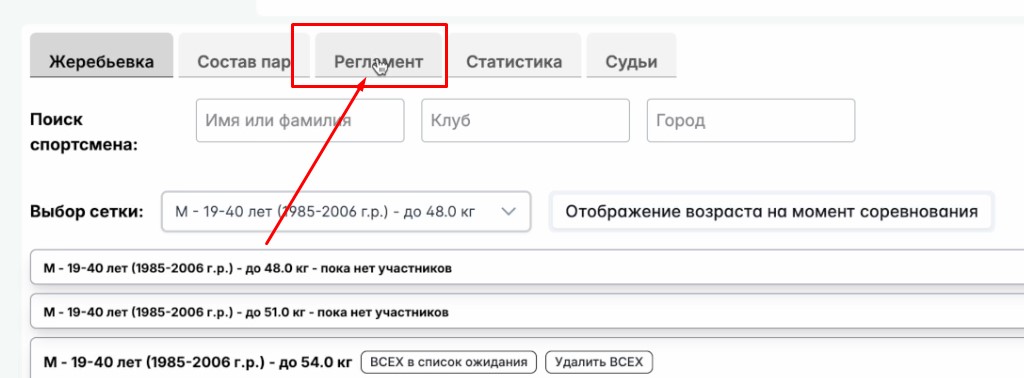
Once all the brackets have been created and the data in them is correct, go to the "Bout schedule" tab.
Step 2. Set the times of the sessions
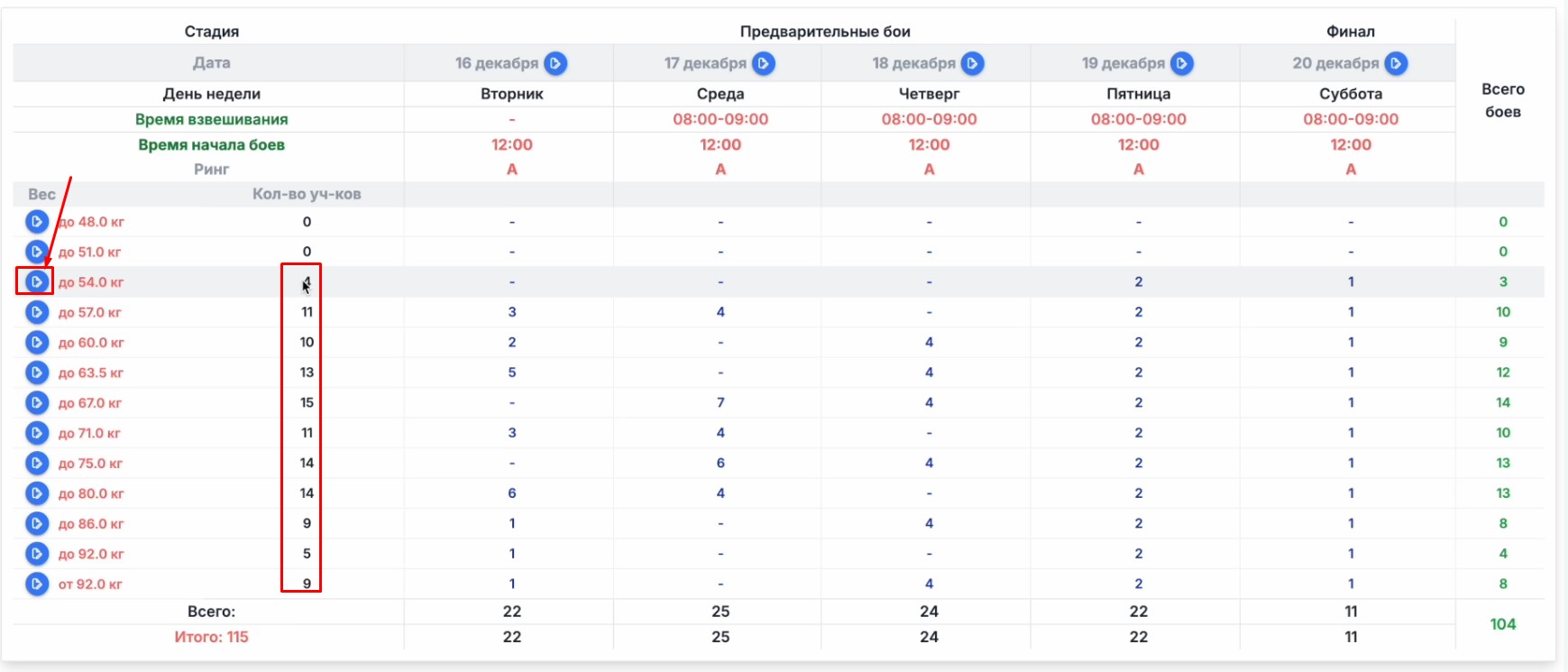
In the table, set the session times for all weight categories in which boxers are entered — you can identify these by the "No. of participants" column: it should show the number of participants, not the value "0".
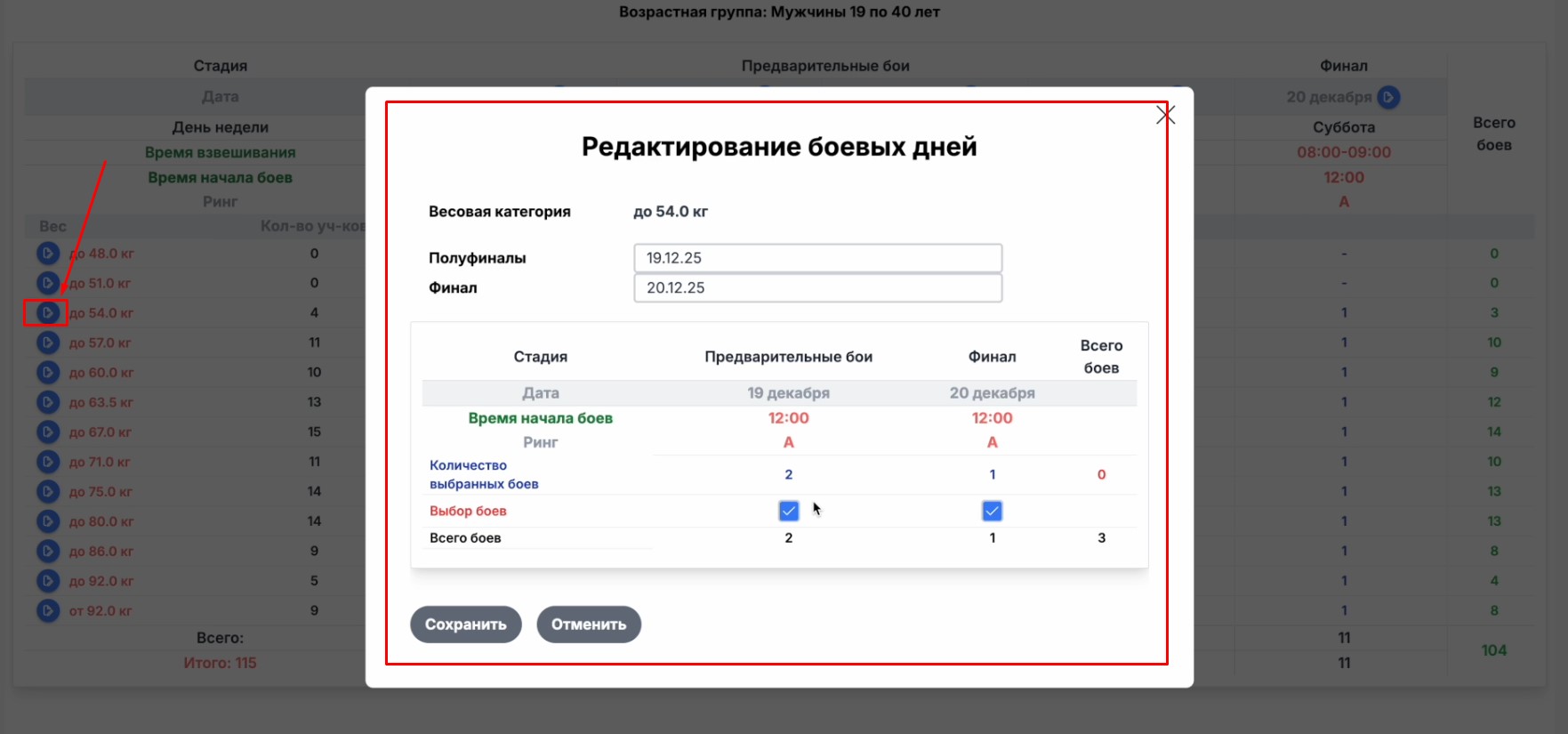
To edit a date, click the button on the left of the row — a window will open where you can change the date and day of the session.
Step 3. Set the weigh-in and bout start times
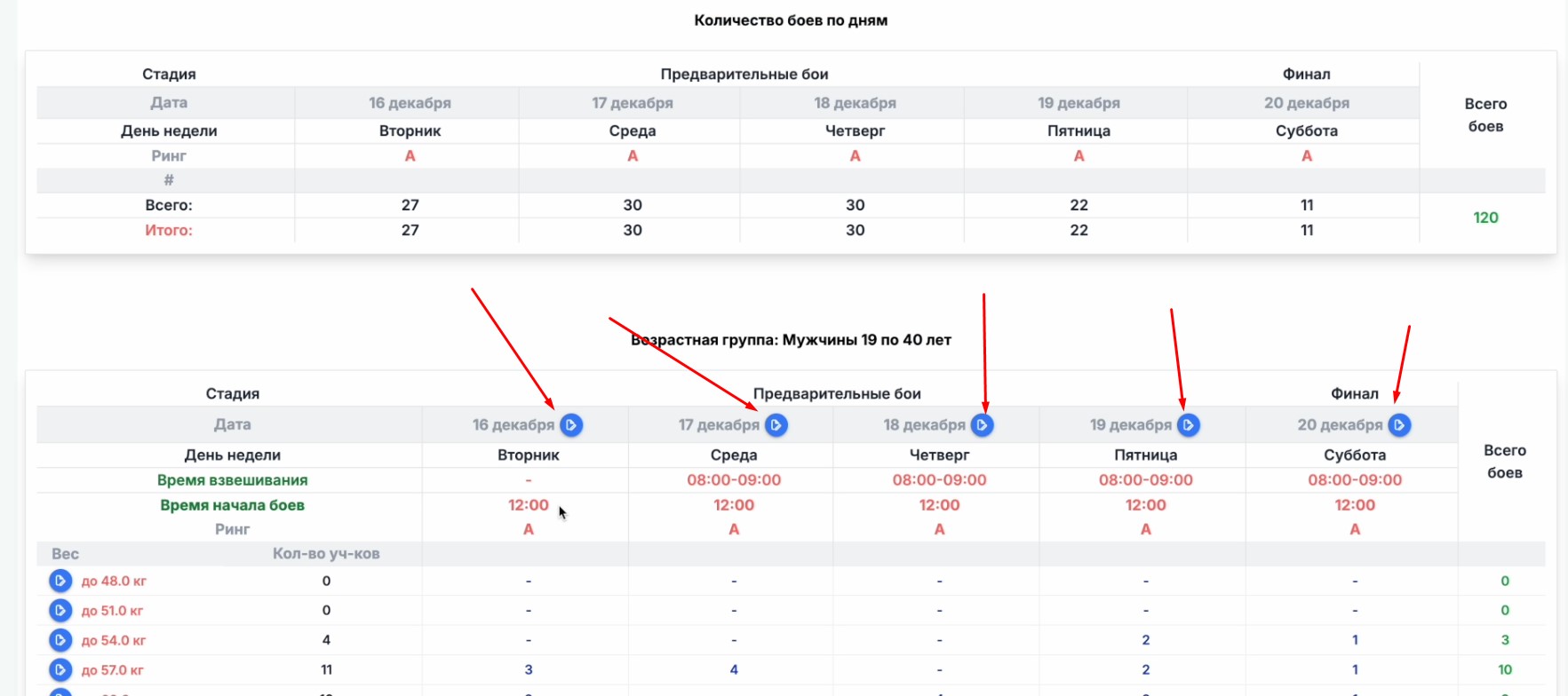
Also be sure to set the weigh-in time and the bout start time — the edit button is located in the table next to the dates. In the window that opens, enter the time; if the schedule is the same for every day of the tournament, turn on the "Change for all days" toggle.