Entering Results in a Multi-Day Tournament
ВидеоинструкцияEntering results in an Olympic-system tournament
Log in with your organizer account and go to the page for the tournament you need. There are three ways to enter the result of an Olympic-system bout.
Method 1. From the "Bout Pairings" section
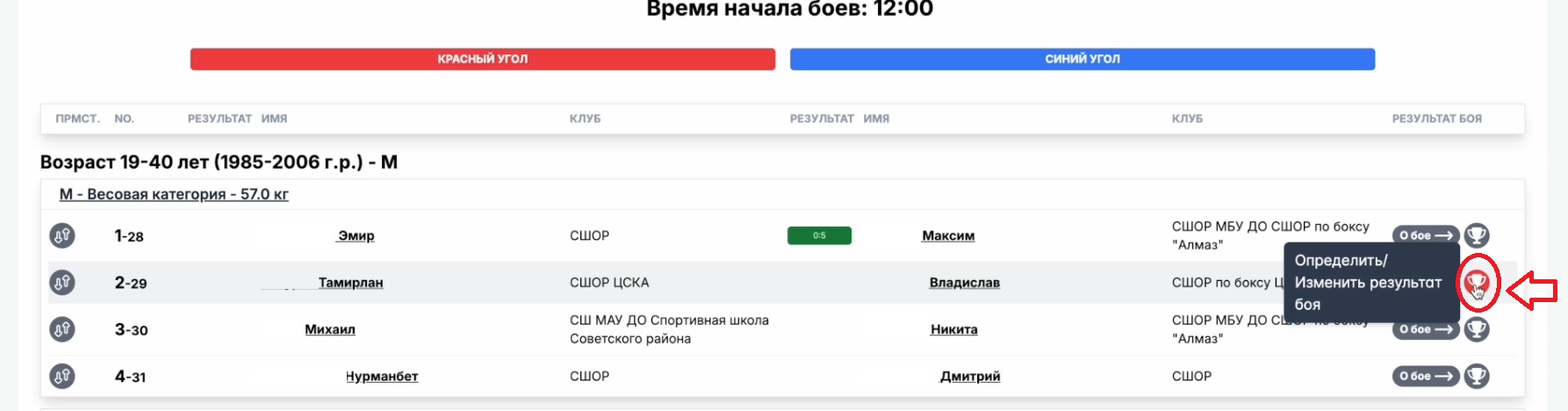
On the "Bout Pairings" page, in the rightmost column of the table, click the button showing a cup icon.
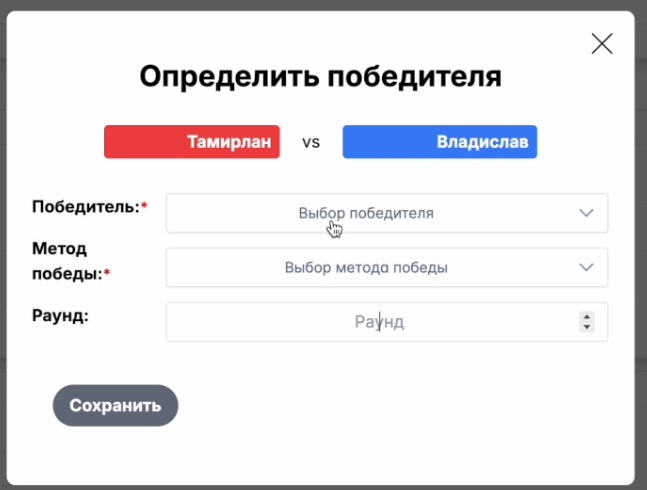
A window with the result-entry functionality will open.
This is the most convenient and practical method if the organizer is not using the platform's full judging functionality.
Method 2. From the "Draw" section
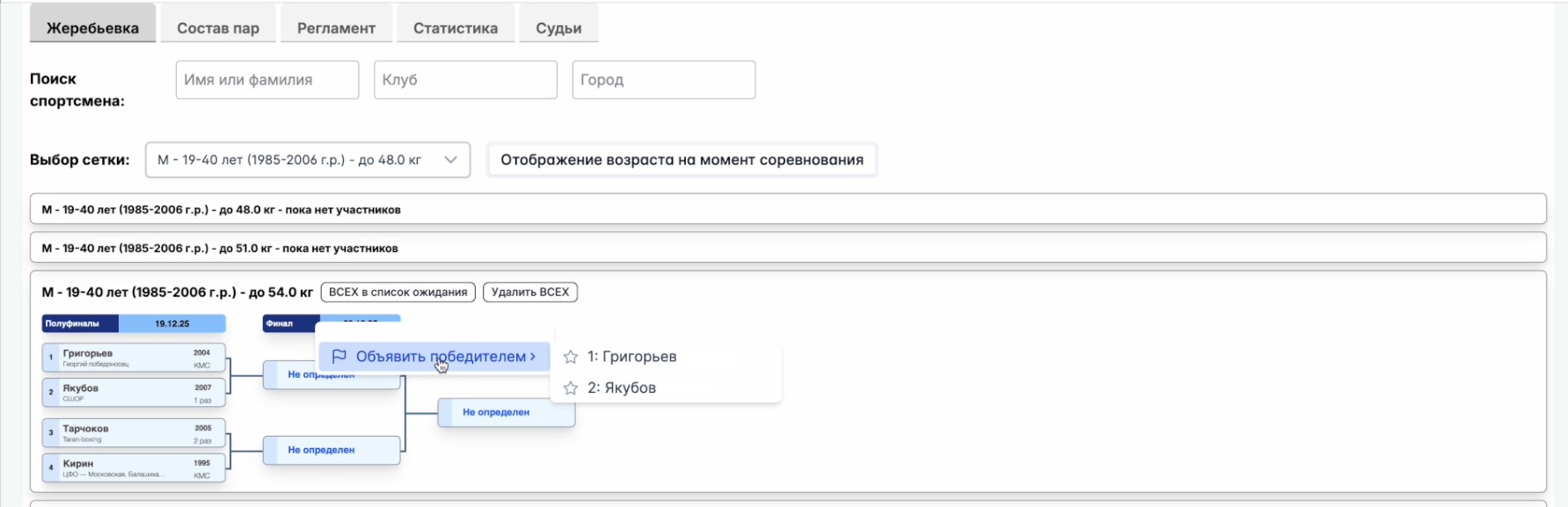
On the "Draw" page, right-click the "Undetermined" block opposite the pair of athletes in the bracket, then select the winner and specify the method of victory, round, and points.
Important: the platform duplicates data across all sections simultaneously — changes made, for example, in "Bout Pairings" are immediately reflected everywhere this information appears.
Method 3. From the "Judges" section
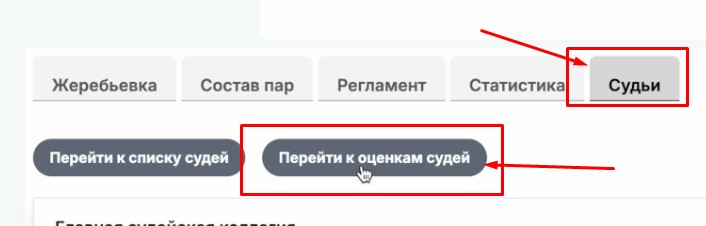
Go to the "Judges" section and click the "Go to judges' scores" button.
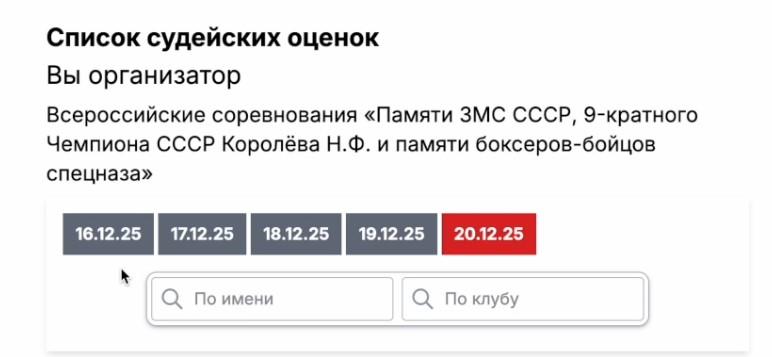
Select the day of the competition.
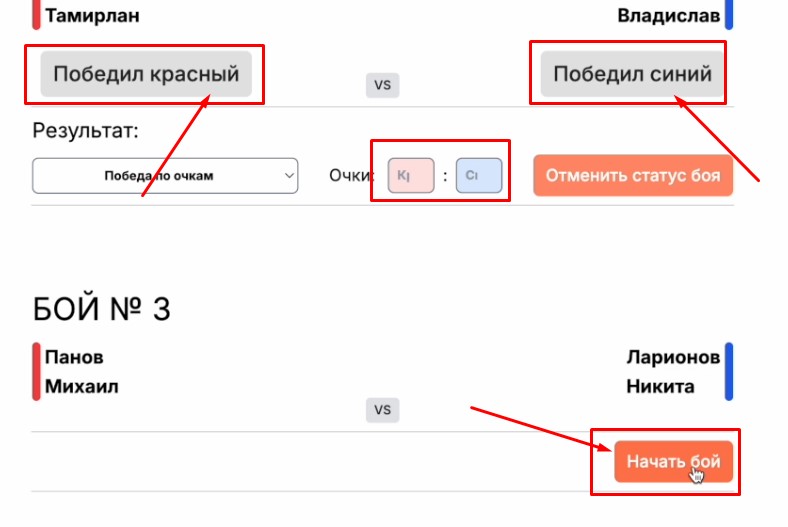
Select the bout for which you want to enter or correct a result. If no scores have been entered yet, click "Start Bout," then select the winner and, if needed, specify the method of victory, points, or round.