Athlete Card: Editing Application Data
ВидеоинструкцияAthlete Card in an Olympic Tournament
An organizer can edit or view in detail the data of any athlete who has applied for the tournament — regardless of the application's status.
Step 1. Open the Athlete Card
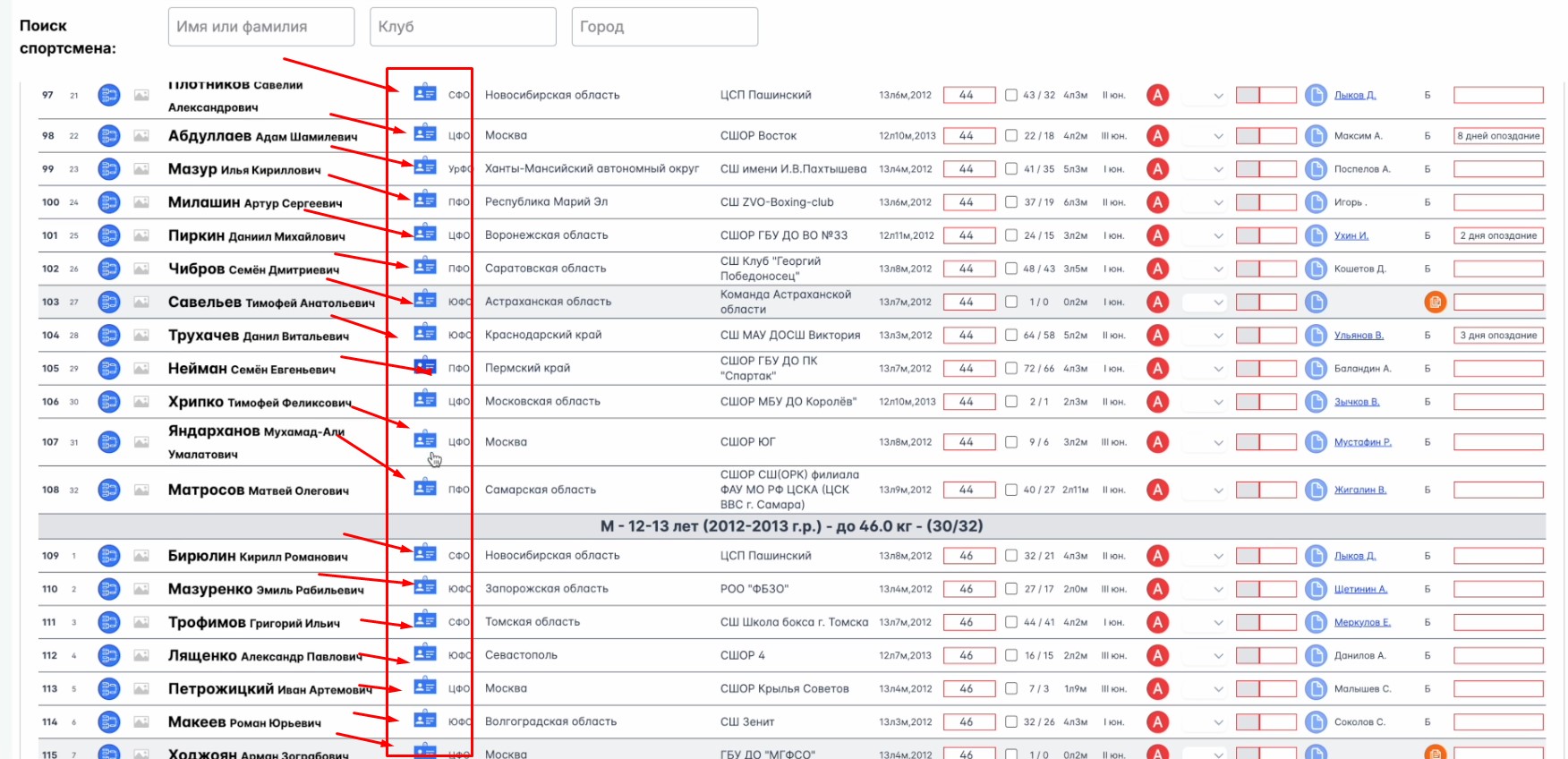
Log in with your organizer account, go to the relevant competition, and open the "Athlete List." Click the ID-card-shaped button next to the athlete's data.
Step 2. Edit the Data
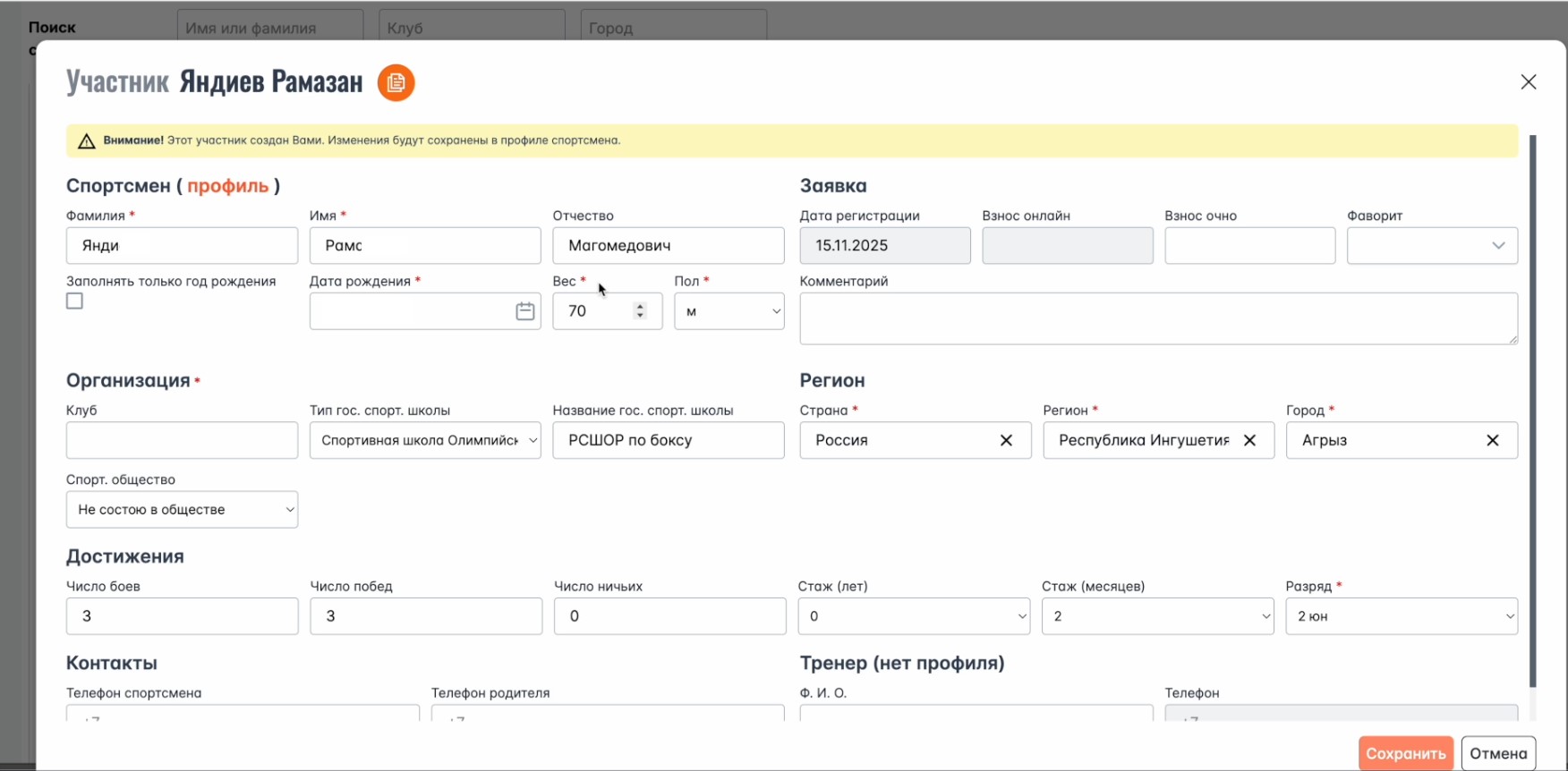
A panel with the athlete's full information will open — every field in it can be edited. Important: changes you make here are not reflected on the athlete's personal page; they apply only within this tournament.