Download a tournament report
ВидеоинструкцияOlympic tournament report
Sign in with an organizer account and go to the competition's page.
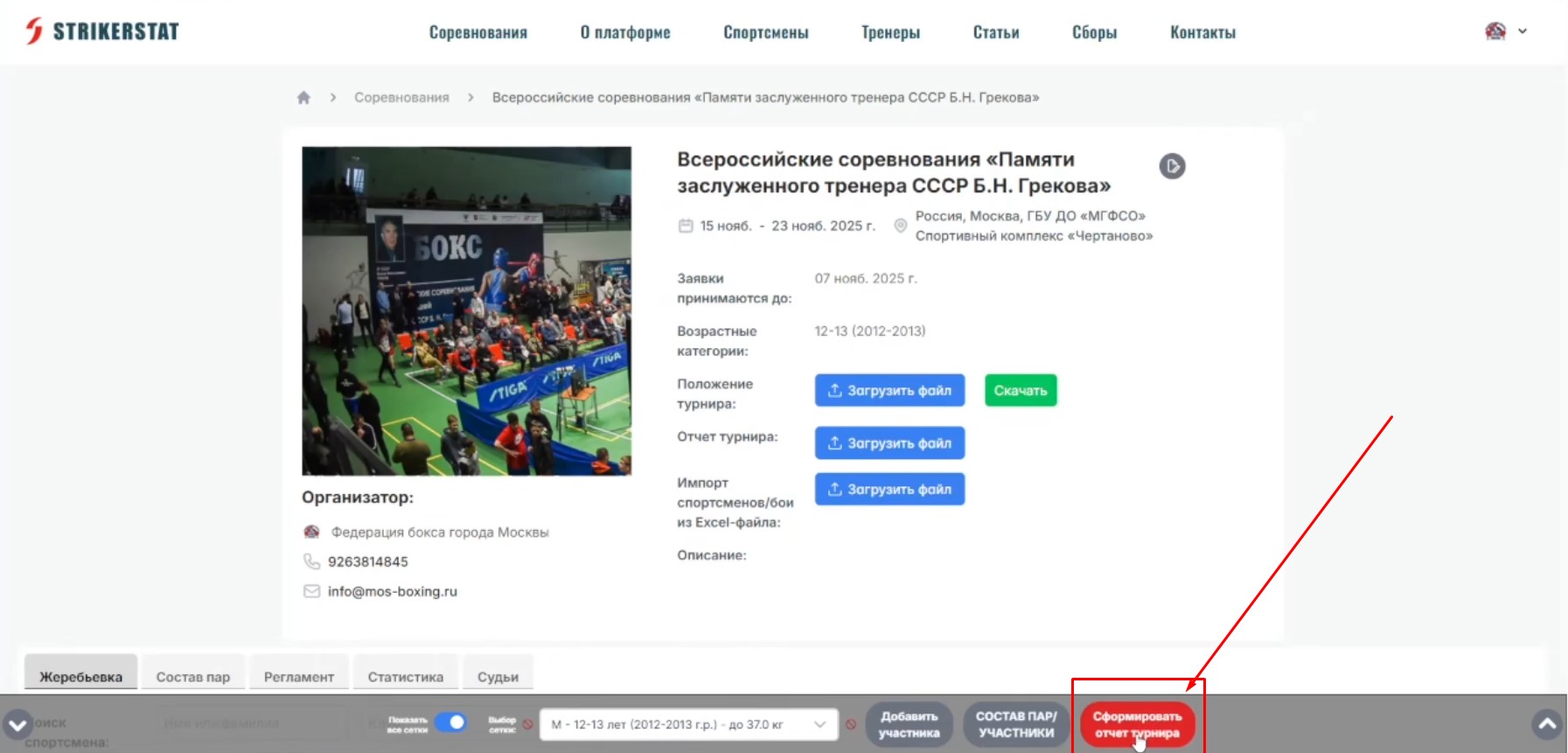
In the "Draw" section, at the bottom of the screen, is the "Generate tournament report" button.
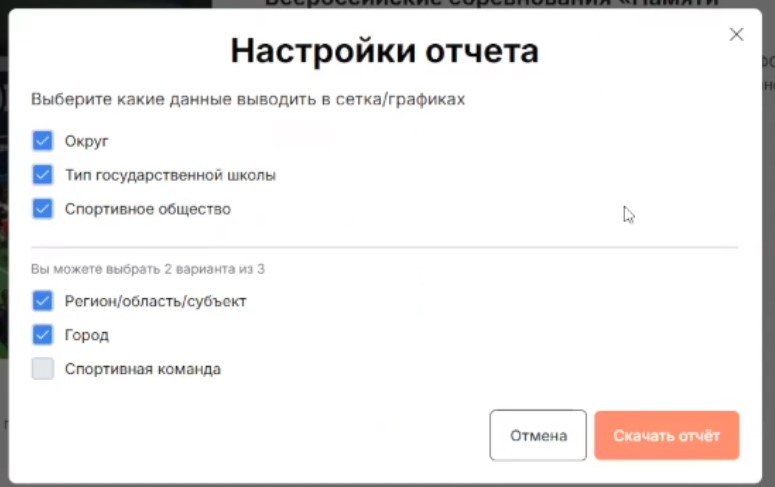
A settings window will open — select the items you want to include in the report and click "Download report".
The report is generated in MS Word (.docx) format and downloaded to your chosen location — by default, the "Downloads" folder.
The report is generated in as much detail as possible, but it can be refined manually:
- add your organization's logo or a tournament banner;
- remove tables you don't need — for example, participant statistics by city, if that's not required.
Important: for the report to be generated correctly, participant data must be entered consistently — above all, the organization or club name for all participants on the same team must match exactly, down to punctuation marks and brackets.