Download the tournament participant list
ВидеоинструкцияDownload all tournament participants
Log in with your organizer account, go to the tournament page, and click the "Bracket / Participants" button.
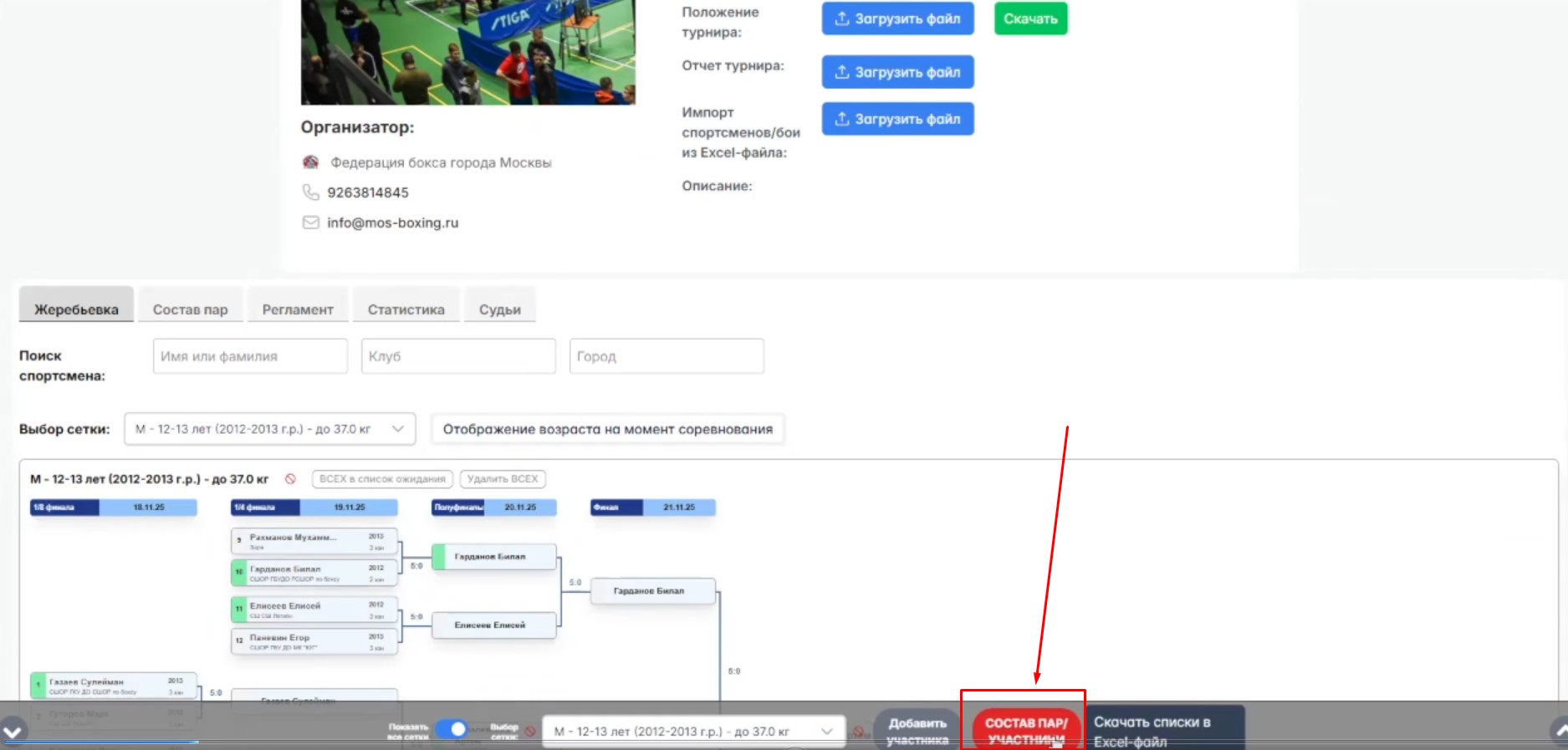
The button is located on the tournament page, as shown in the screenshot.
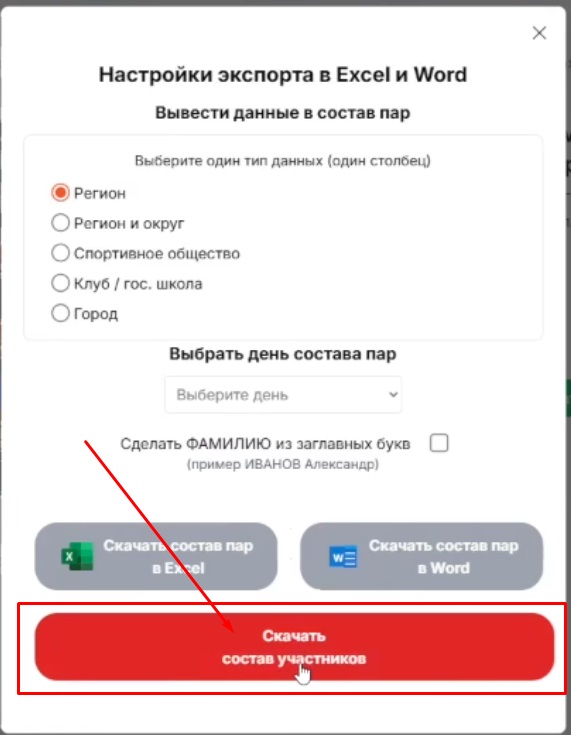
A window will open with options for supplementing the file. Click "Download participant list."
The file downloads in MS Excel (.xlsx) format and contains the most detailed information available about the participants.
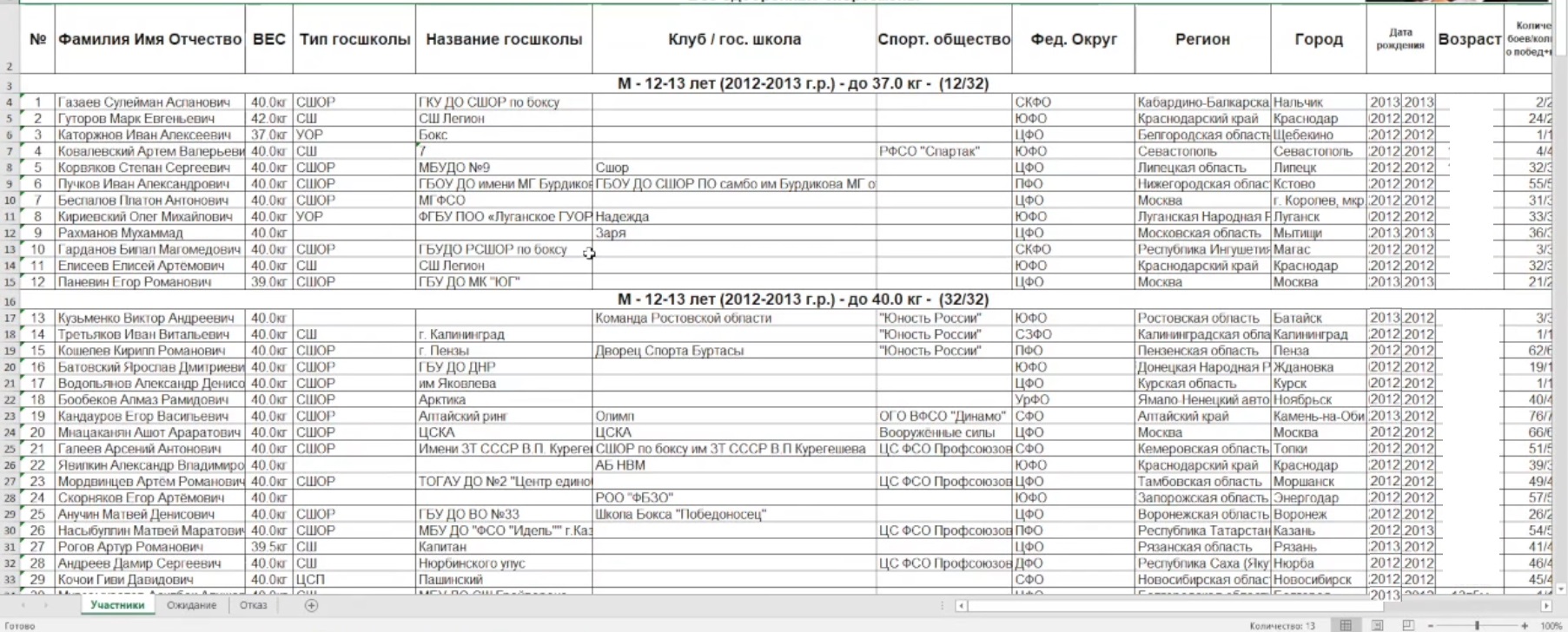
This is what a downloaded file looks like.
The file has three sheets:
- "Participant" — all approved athletes
- "Pending" — applications awaiting confirmation or rejection
- "Rejected" — athletes who were denied participation or who withdrew their application themselves
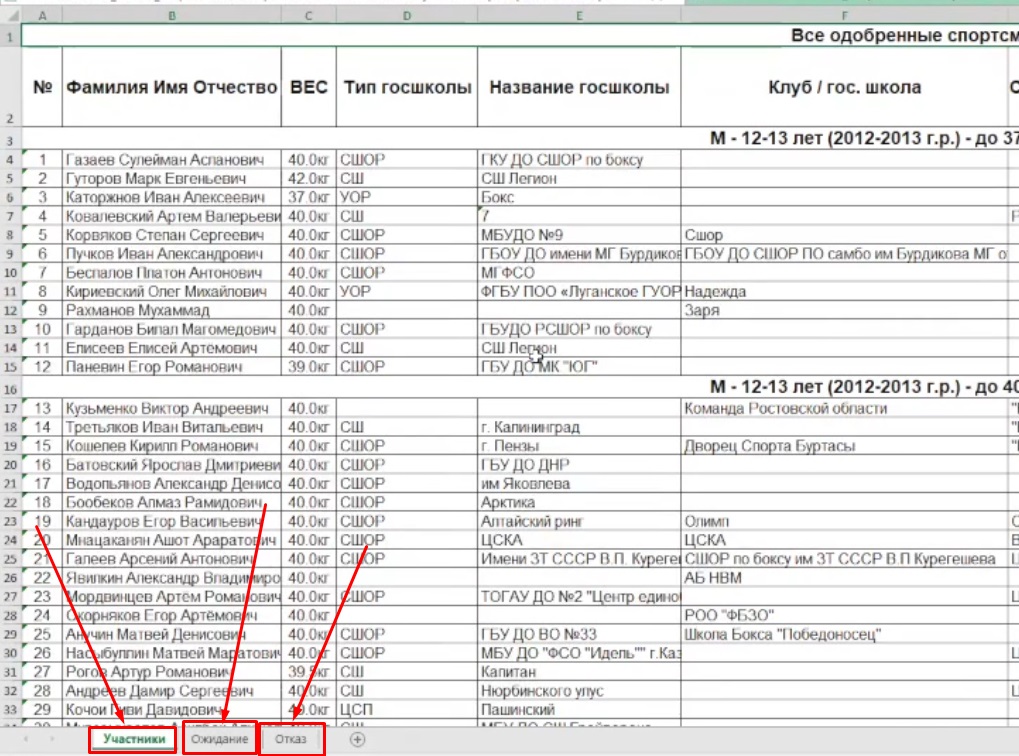
An example of one of the sheets in the file.