How to Create a Bout Manually
Sign in to the platform as an organizer and go to the tournament page.
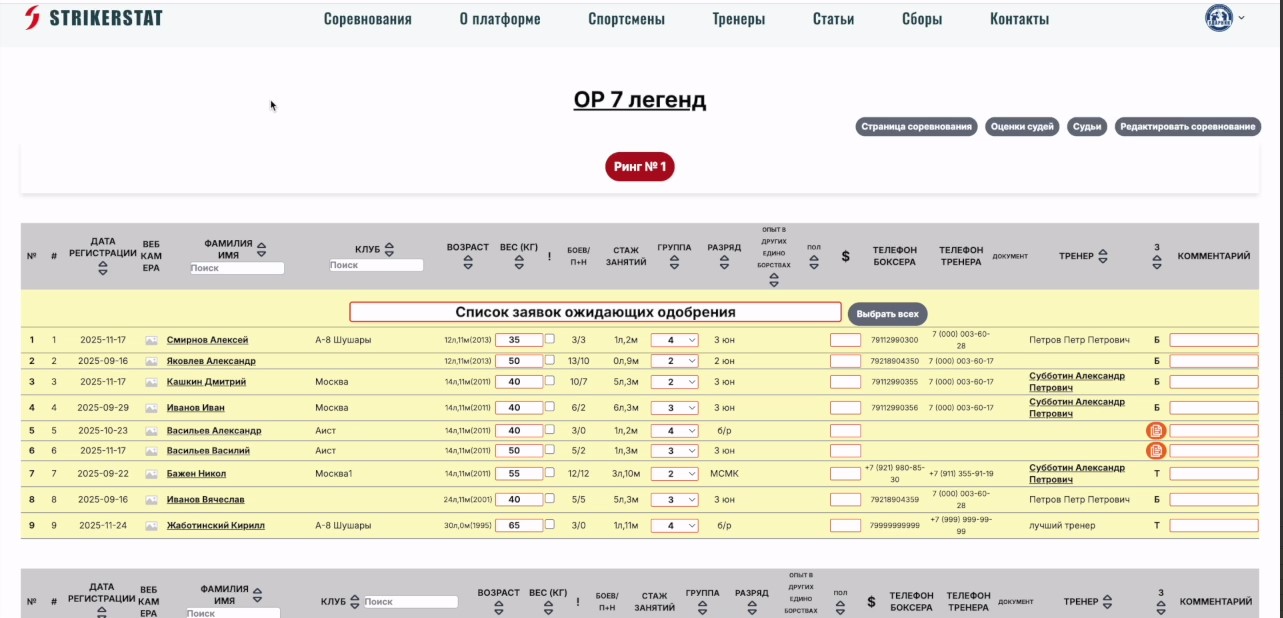
You will see a list of boxers who have already applied to participate in the competition. For a detailed description of the draw section, see the article “Overview of the ‘Draw’ Section”.
Creating a pair
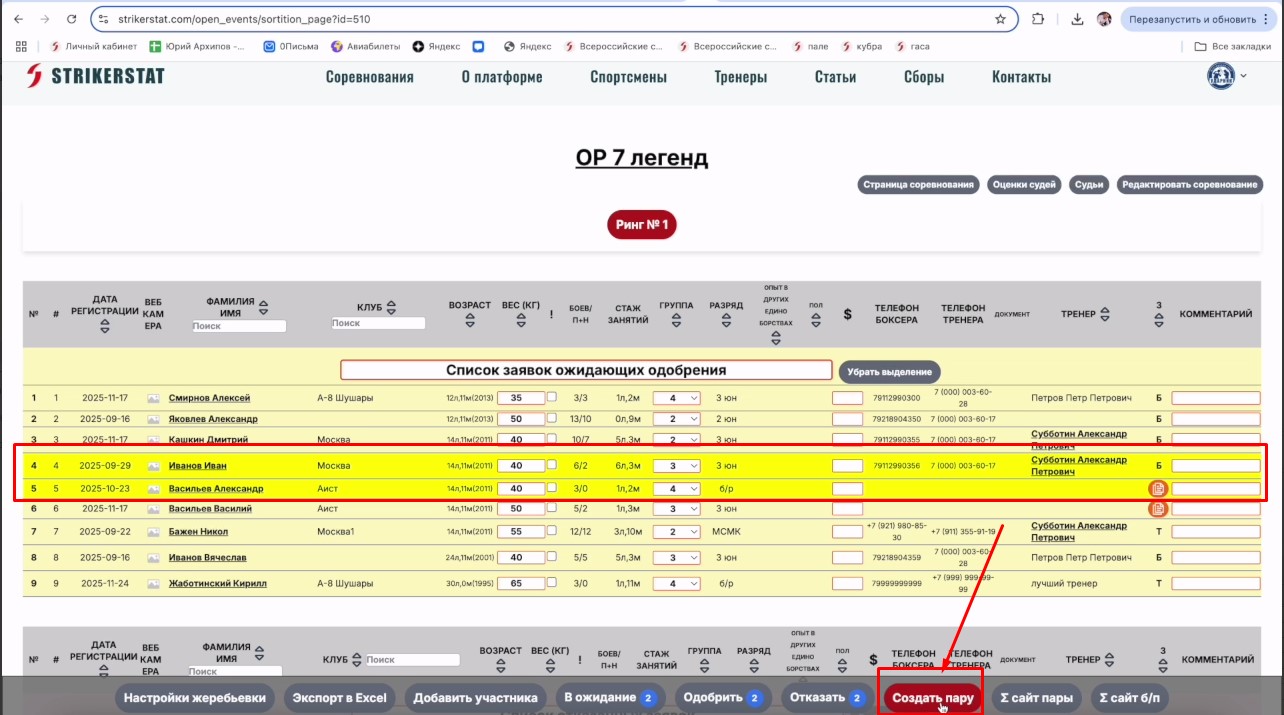
To create a pair, select two athletes — click an empty spot in the row with the boxer's data. The color of the selected rows will change, and a "Create Pair" button will appear at the bottom of the screen. It is only available when exactly two rows are selected — with any other number, the button does not appear.
Swapping corners
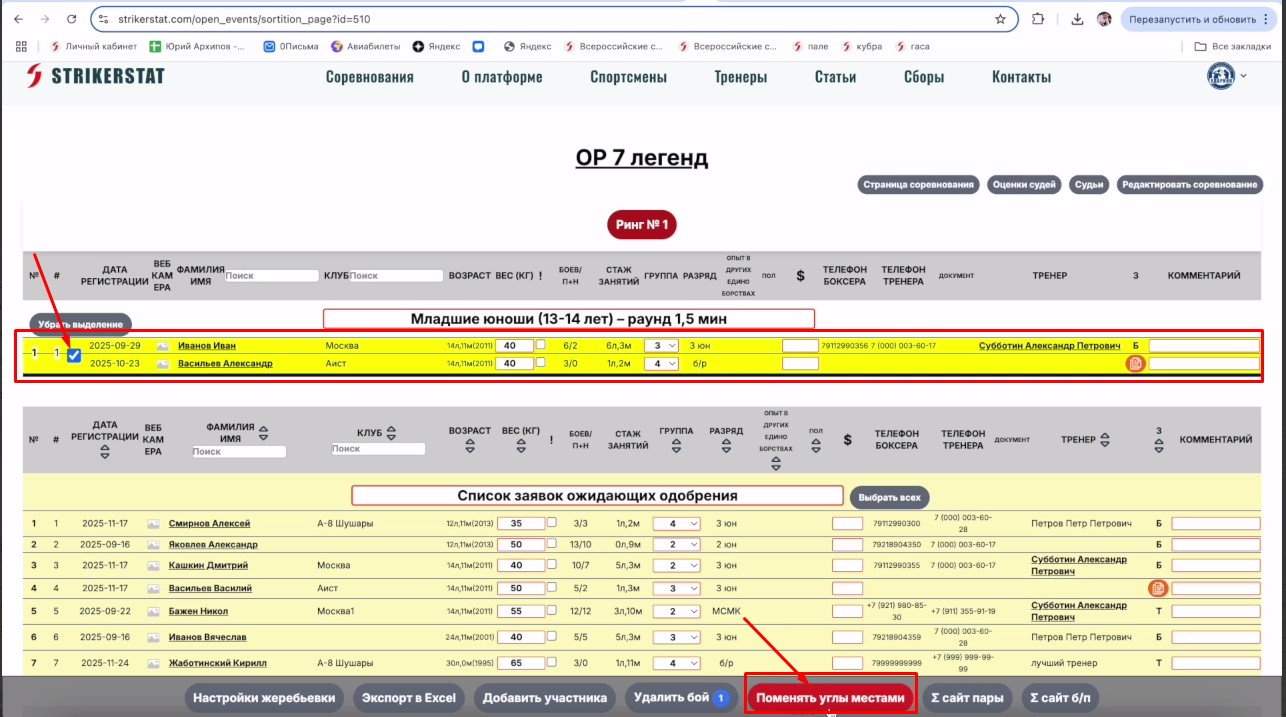
After creating a pair, the athletes' data will move to the top of the page. To swap the athletes' corners, check the box combining the two rows — a "Swap Corners" button will appear.
This is how you can manually form pairs, using the criteria by which you want to run a particular bout.