How to Submit a Coach's Application for Tournament Participation
ВидеоинструкцияHow a coach submits applications on behalf of their students
A coach can submit a tournament application for all of their participating students at once, in a single action — we'll go through it step by step.
Step 1. Open the tournament page
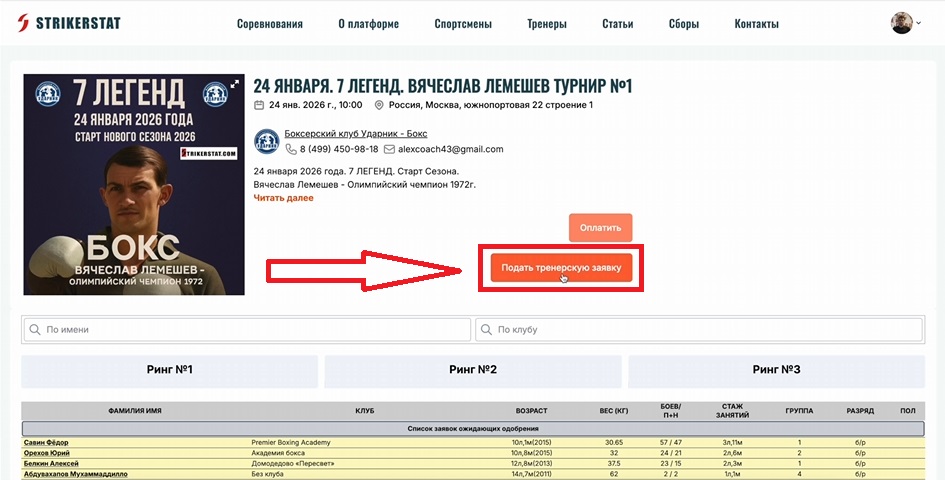
Log in with your coach account, go to the page of the tournament you need in the "Competitions" section, and click "Submit Coach Application."
Step 2. Select participants
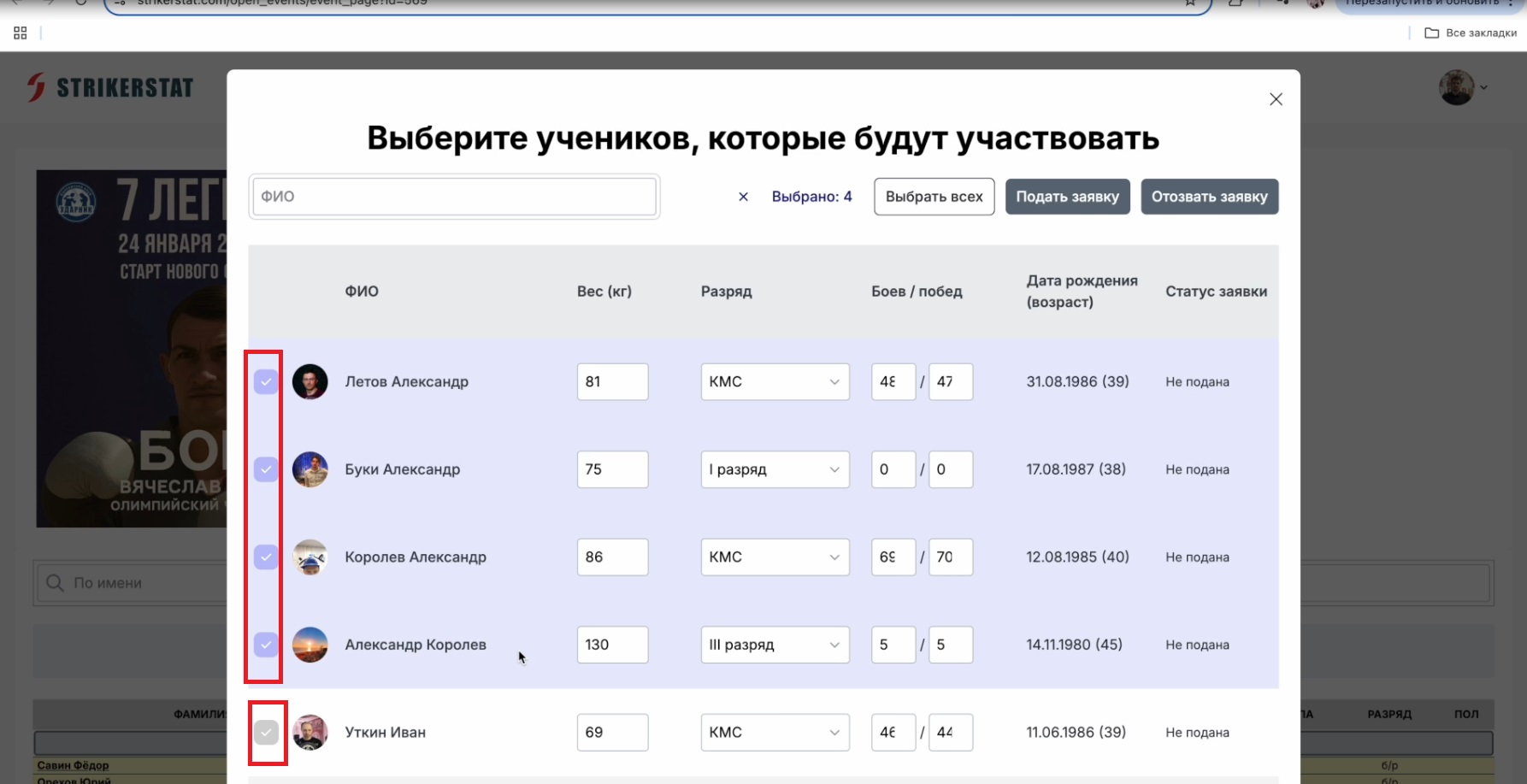
A list of all your students will open — check the box next to each one who will be participating. At this same step you can change an athlete's weight, rank, and number of bouts (or do this later, in the coach's personal account). After reviewing the data, click "Submit Application."
Step 3. Track and edit the application
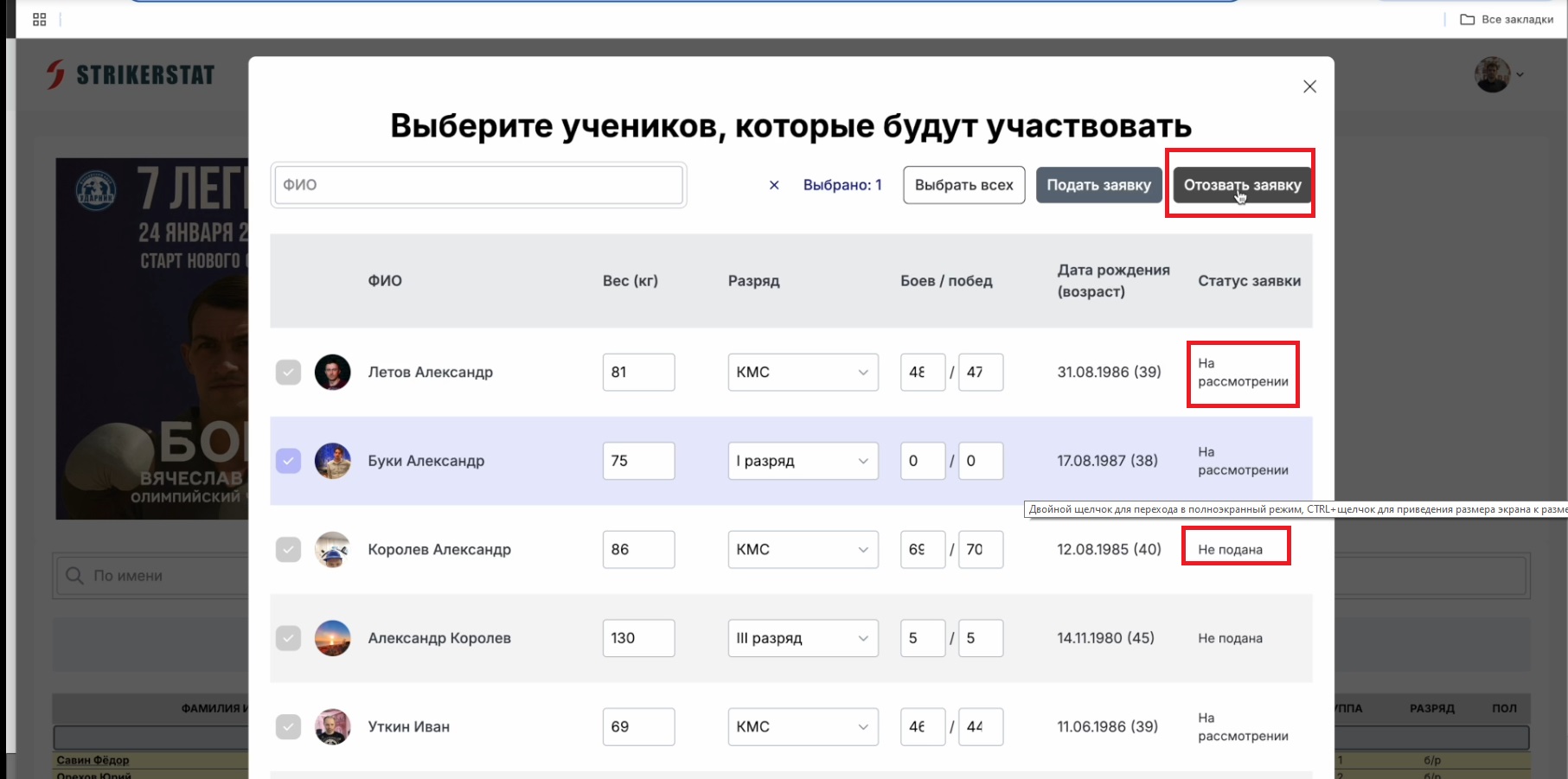
To correct the application or add data to it, go back to the tournament page and click "Submit Coach Application" again — the organizer's response is also visible there.
The "Application Status" column shows the review stage for each boxer:
- "Under Review" — the organizer has not yet seen the application or has not decided on participation.
- "Approved" — the boxer's participation has been approved.
- "Rejected" — the organizer has not admitted the athlete to participate.
- "Not Submitted" — this athlete's data is not included in the application and has not been sent to the organizer.
If a boxer will be unable to participate, select the row with their data and click "Withdraw Application" — selected rows change color from beige to lavender.