Add a weight category to a multi-day tournament
ВидеоинструкцияAdd a weight category to an Olympic tournament
Tournament weight categories can be set when the tournament is created, or added or changed later by returning to edit it.
Step 1. Open tournament editing
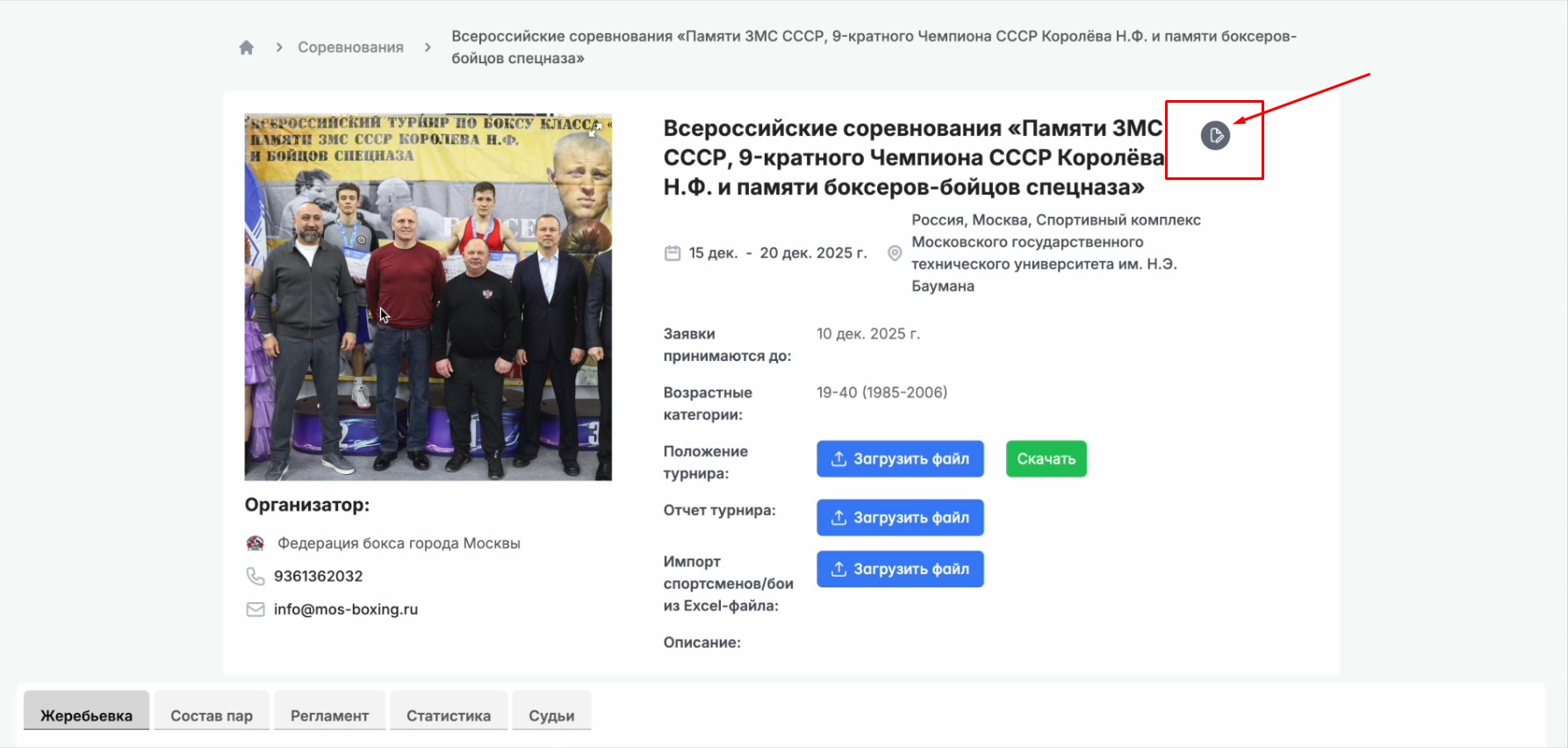
Log in with your organizer account and click the "Edit" button on the tournament page.
Step 2. Add a weight category

Go to the "Category selection" table and click "Add weight category" — a new row will appear where you need to enter the weight for which an additional group is needed.
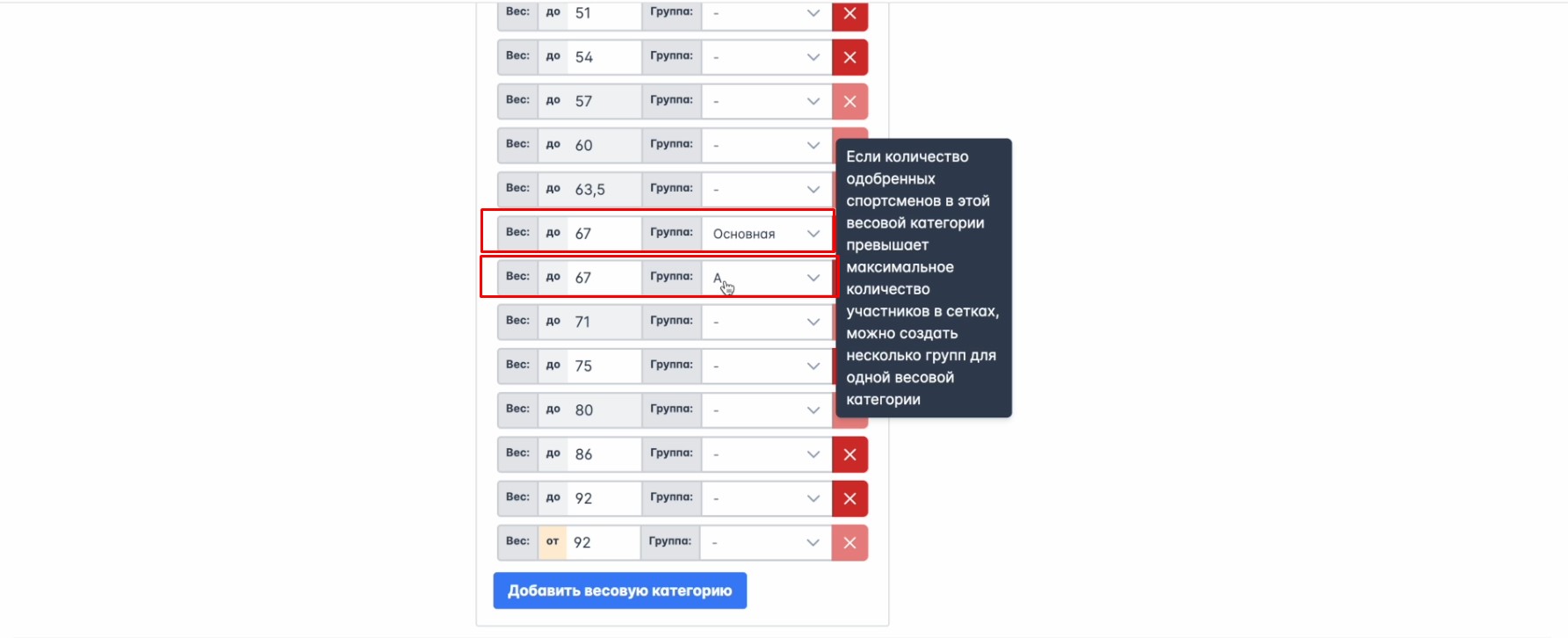
For example, if you add another group at 67 kg, you'll get two groups in the list: "Main" and "A".
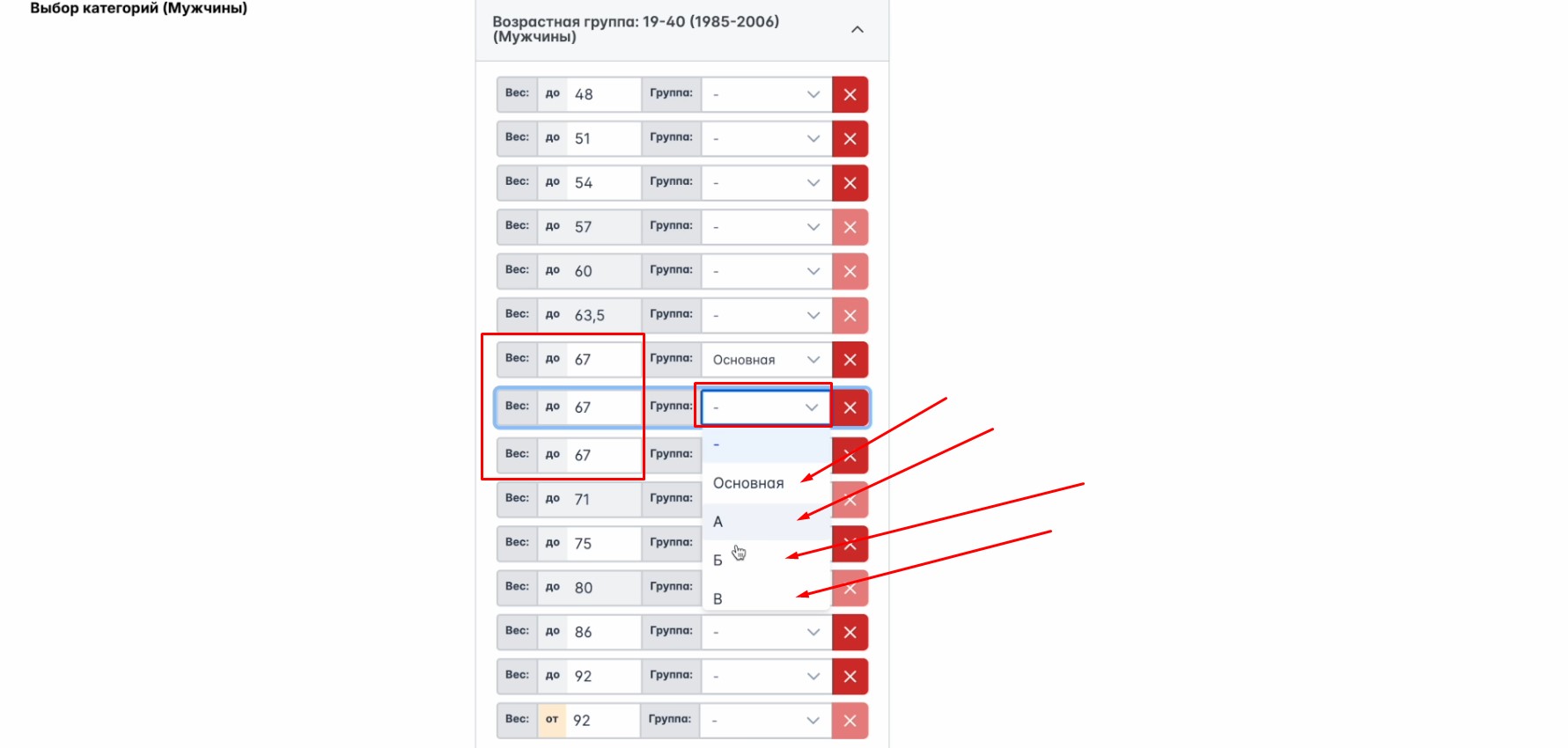
If you need another group at the same weight, repeat the same steps — the group designation can be selected from the dropdown list. You can also create any weight category by entering an arbitrary weight.
Step 3. Add an age group
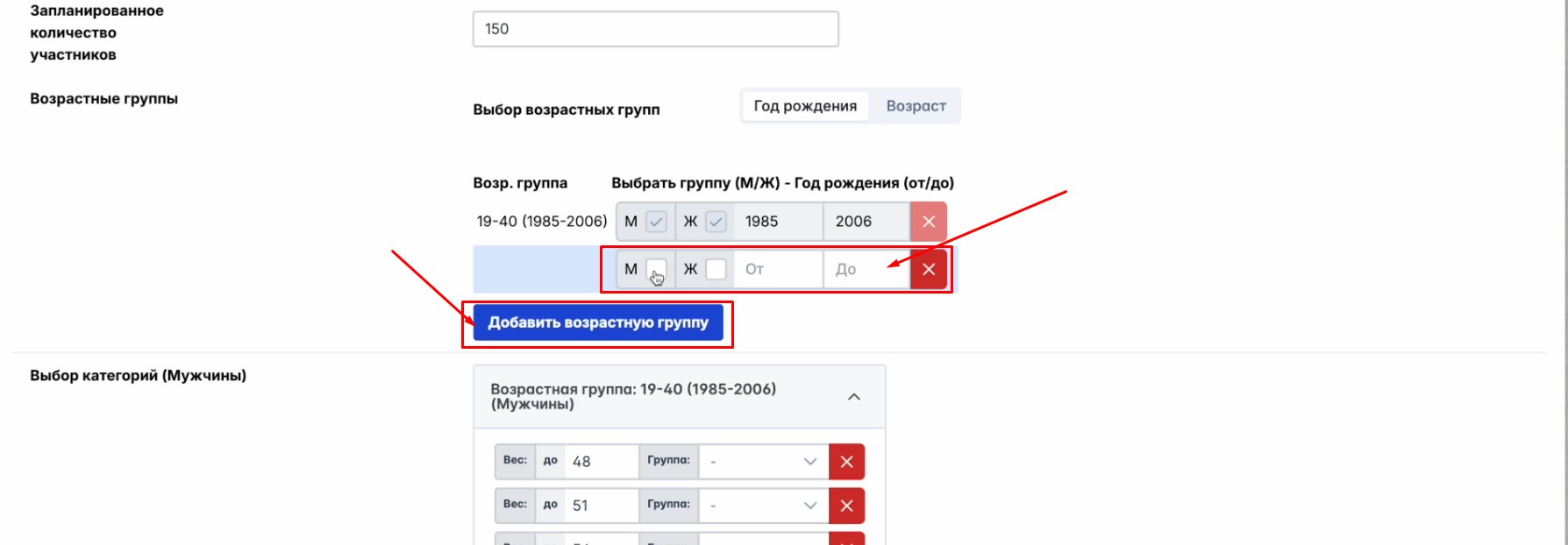
Similarly, you can add an age group with the "Add age group" button — specify the athletes' sex and the range of birth years they must fall into.
After making all the changes, click "Save" at the bottom of the page.